Go Beyond the Text
One of the most important aspects of language quality in games is ensuring that translated content works correctly in its real implementation.
A string can be linguistically accurate and still fail in context. UI text, dialogue, tutorials, prompts, and instructions only achieve their purpose when they appear in the right place, at the right moment, with the right meaning for the player.
In fast-paced localization workflows, however, translators and reviewers often do not have direct access to the game, the build, or the final implementation. As a result, they may review the language without being able to see how the content actually appears to the player.
Traditionally, this validation happens later during LQA, after translation and review have already been completed.
At Tomori, we believe localization teams should be able to work more closely together, with better visibility and fewer workflow gaps. That is why we created Context Review in Gaia: a feature designed to help teams validate content in context, even when linguists do not have direct access to the game itself.
Context Review
With Context Review, product owners can upload screenshots or videos showing the final implementation of the text directly inside Gaia. Linguists can then verify whether the content is clear, correctly implemented, and serving its intended purpose.
If an issue is found, it can be reported directly in Gaia. The reviewer can highlight the problem area, describe the issue, and even correct the related string immediately after checking the implementation.
No special tools are required. No access to the game build is needed. No external drawing software, spreadsheets, or separate databases are necessary.
All the team needs is a screenshot or video of the content in context.
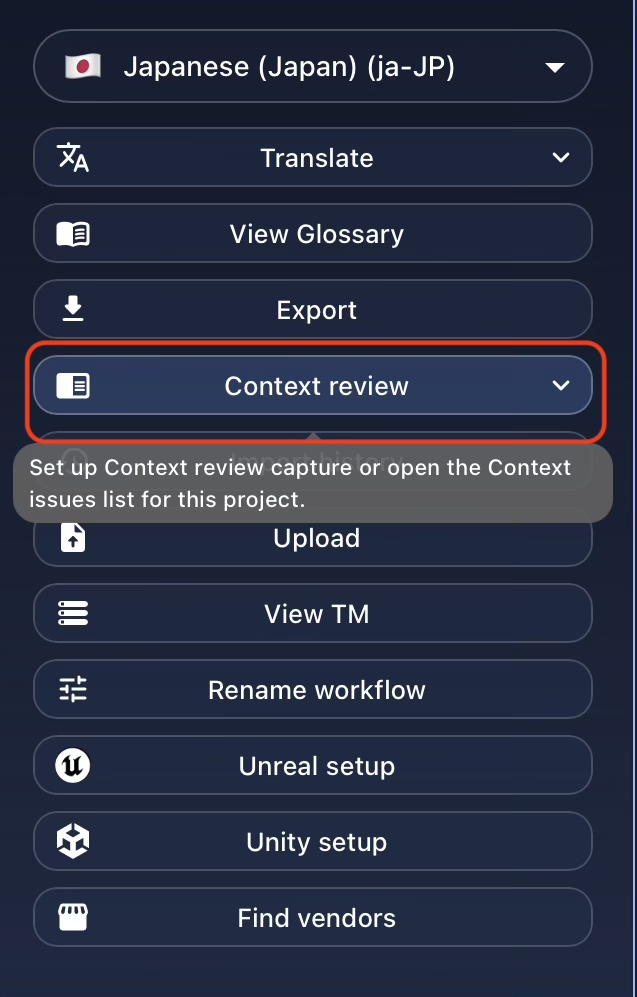
The Context Review feature can be accessed from the action panel on the Project Card:
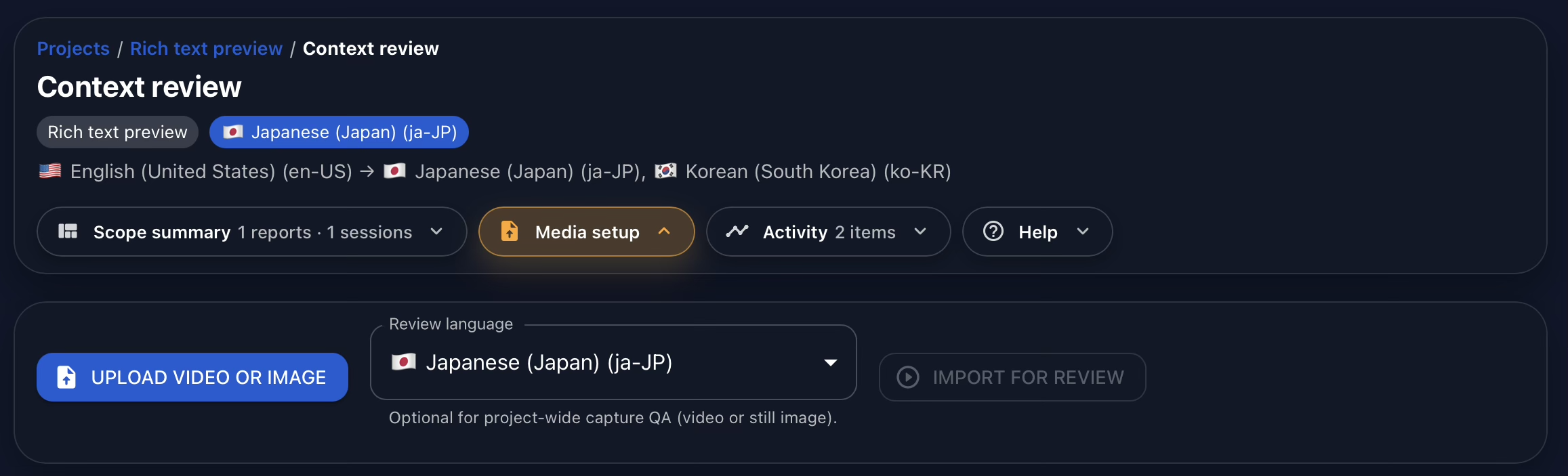
From there, you can upload either an image or a video:
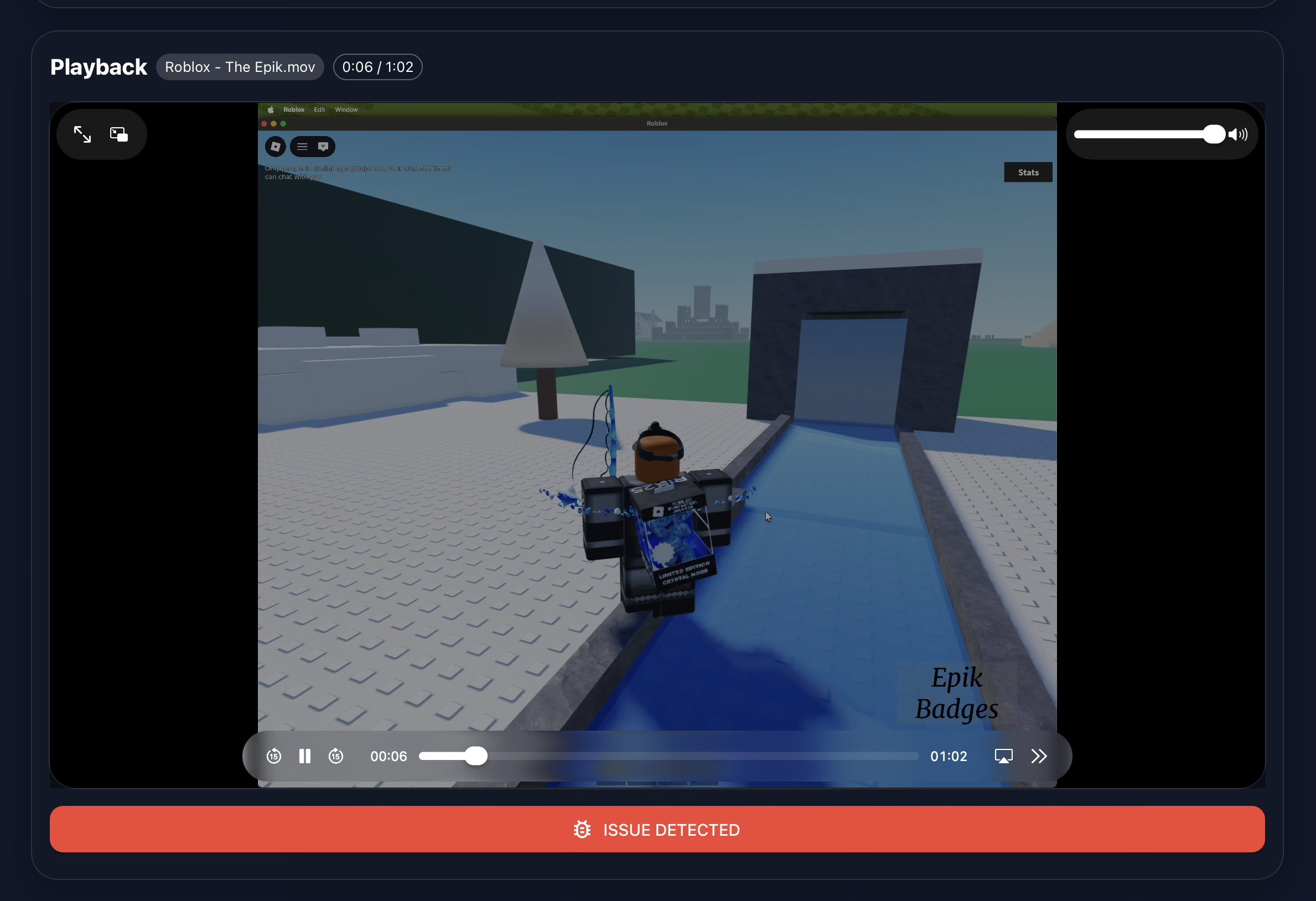
If the uploaded file is a video, you can play it using the embedded media controls. When you identify a problem, click on ISSUE DETECTED:
Then, draw a box around the area where the issue appears:
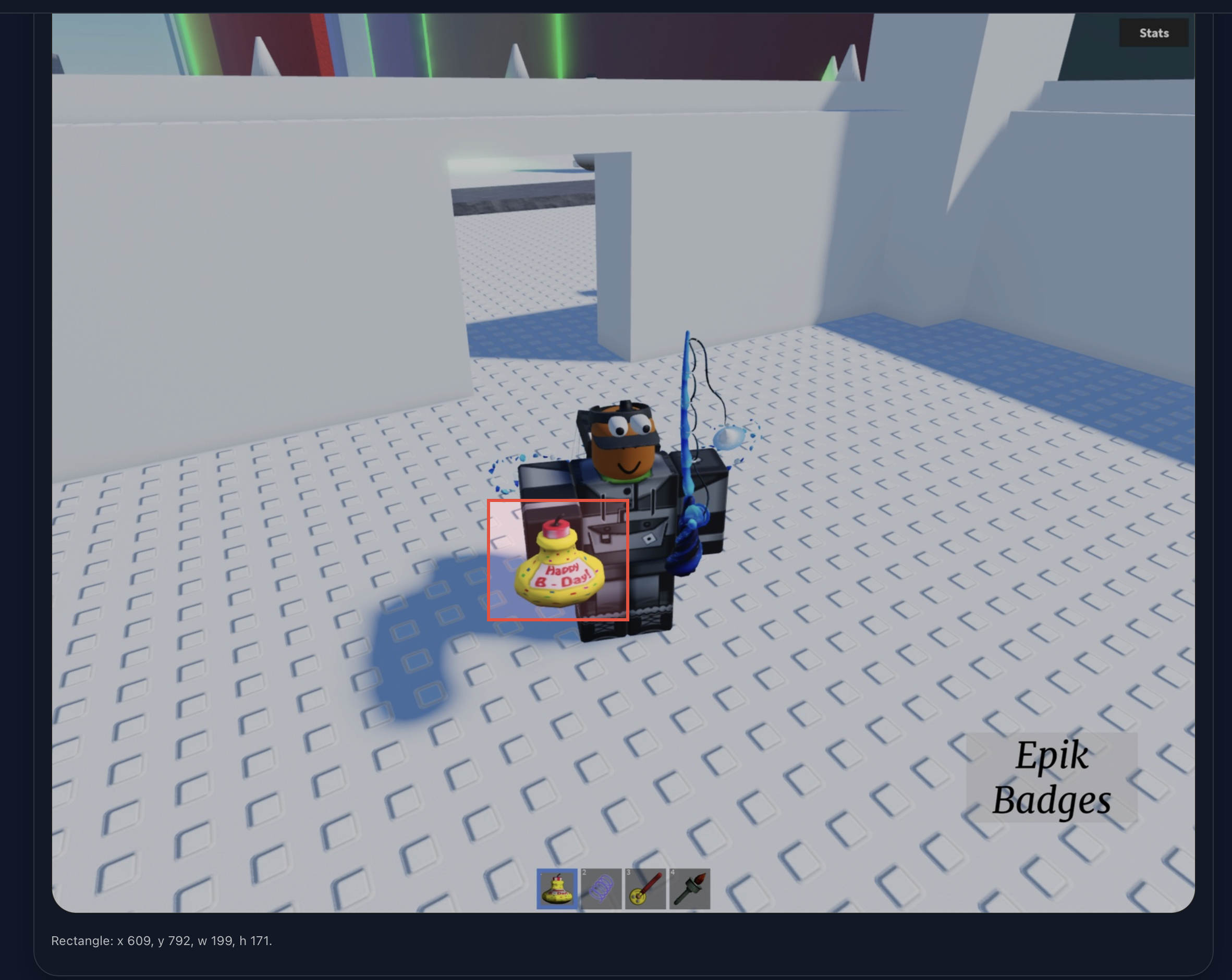
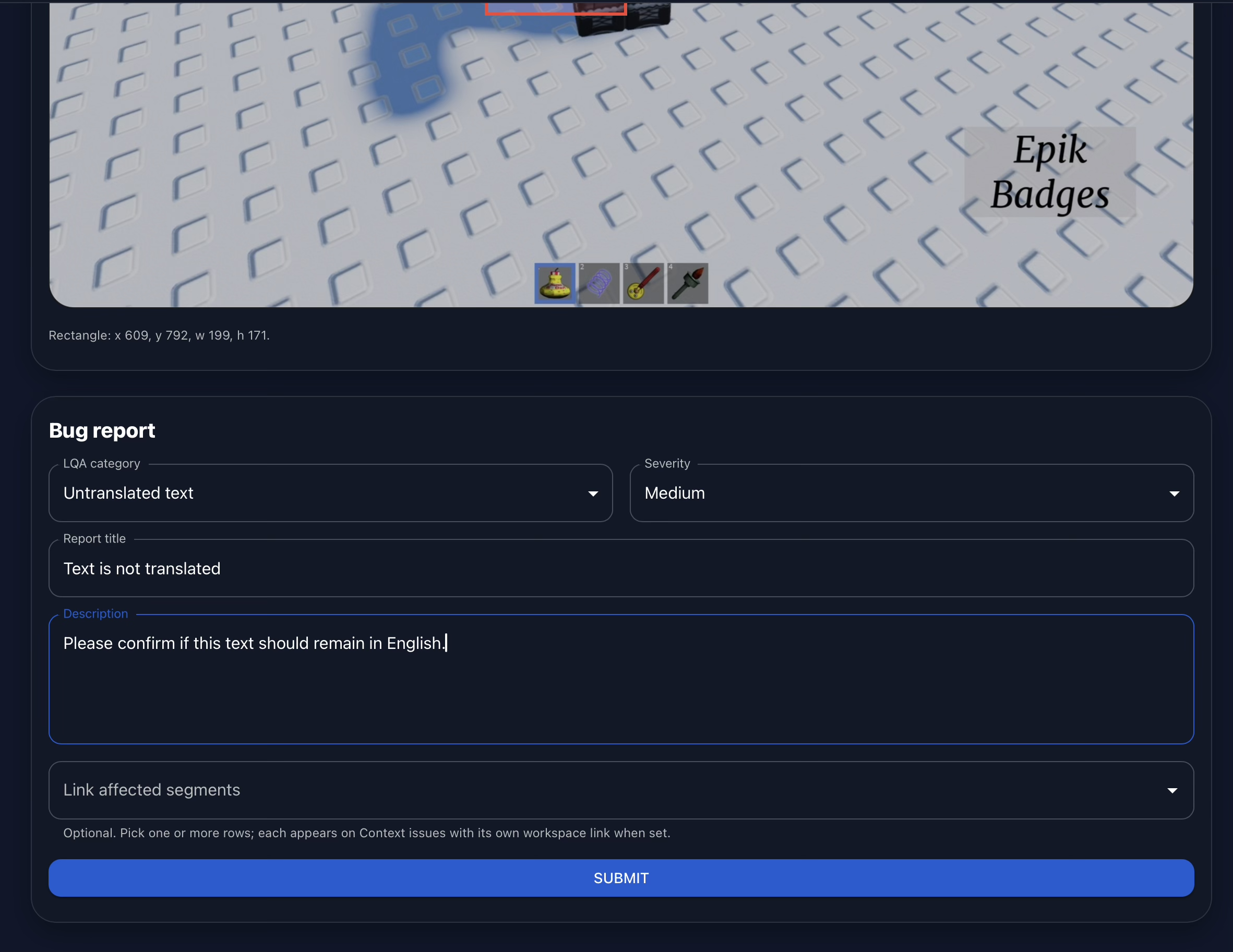
Add the details of the issue:
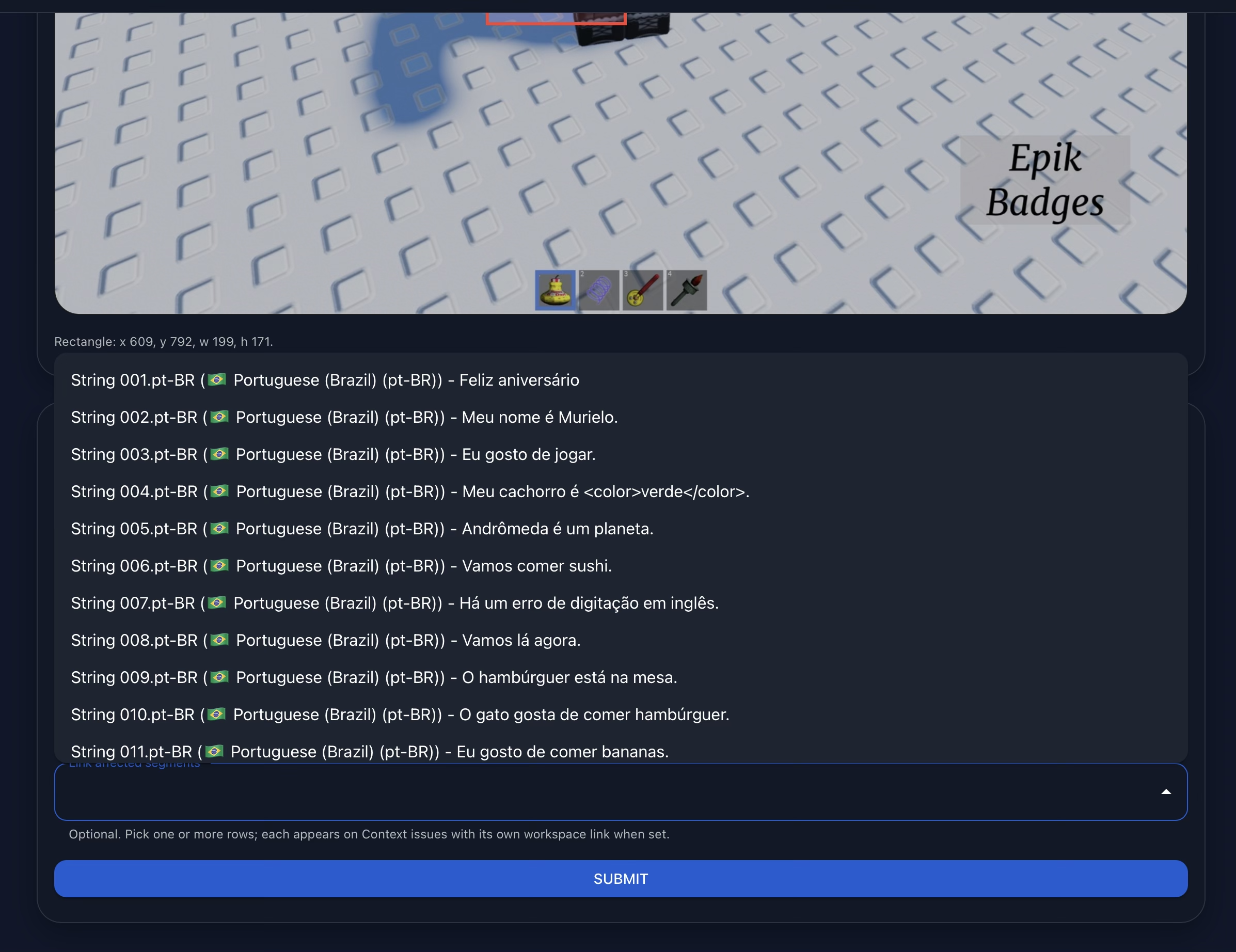
And, when needed, edit the related string directly by selecting it from the dropdown:
Everything happens inside Gaia. There is no need to open Paint, use an external annotation tool, create a separate bug report, or manage another database.
This is part of Gaia's core philosophy: giving localization teams more control, more visibility, and more efficiency directly within the translation workflow.
Finally, all reported issues can be reviewed in the View Reports section, keeping the full context review process centralized inside Gaia:
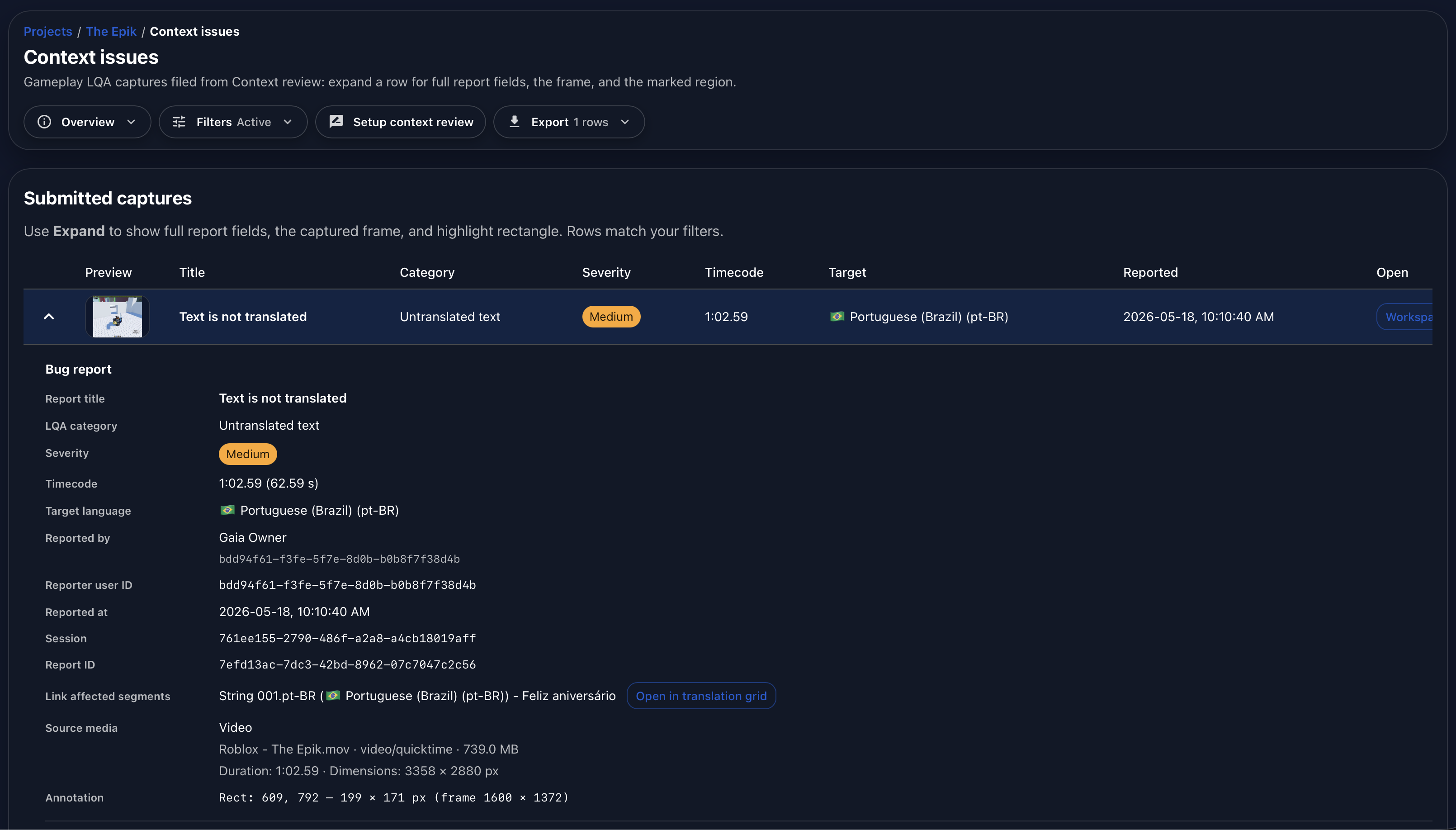
Context Review is one of the features that makes Gaia a more precise, flexible, and controlled localization environment. It helps linguists, reviewers, and product owners quickly understand implementation issues, document them clearly, and solve them without leaving the tool.
Watch the full demonstration below.
Full Demonstration
The video walks through the full Context Review flow, from opening the feature and uploading contextual media to marking an issue, linking it to the affected string, and reviewing the final report.
Follow Tomori Systems on YouTube, Instagram, TikTok, and LinkedIn for more Gaia updates.