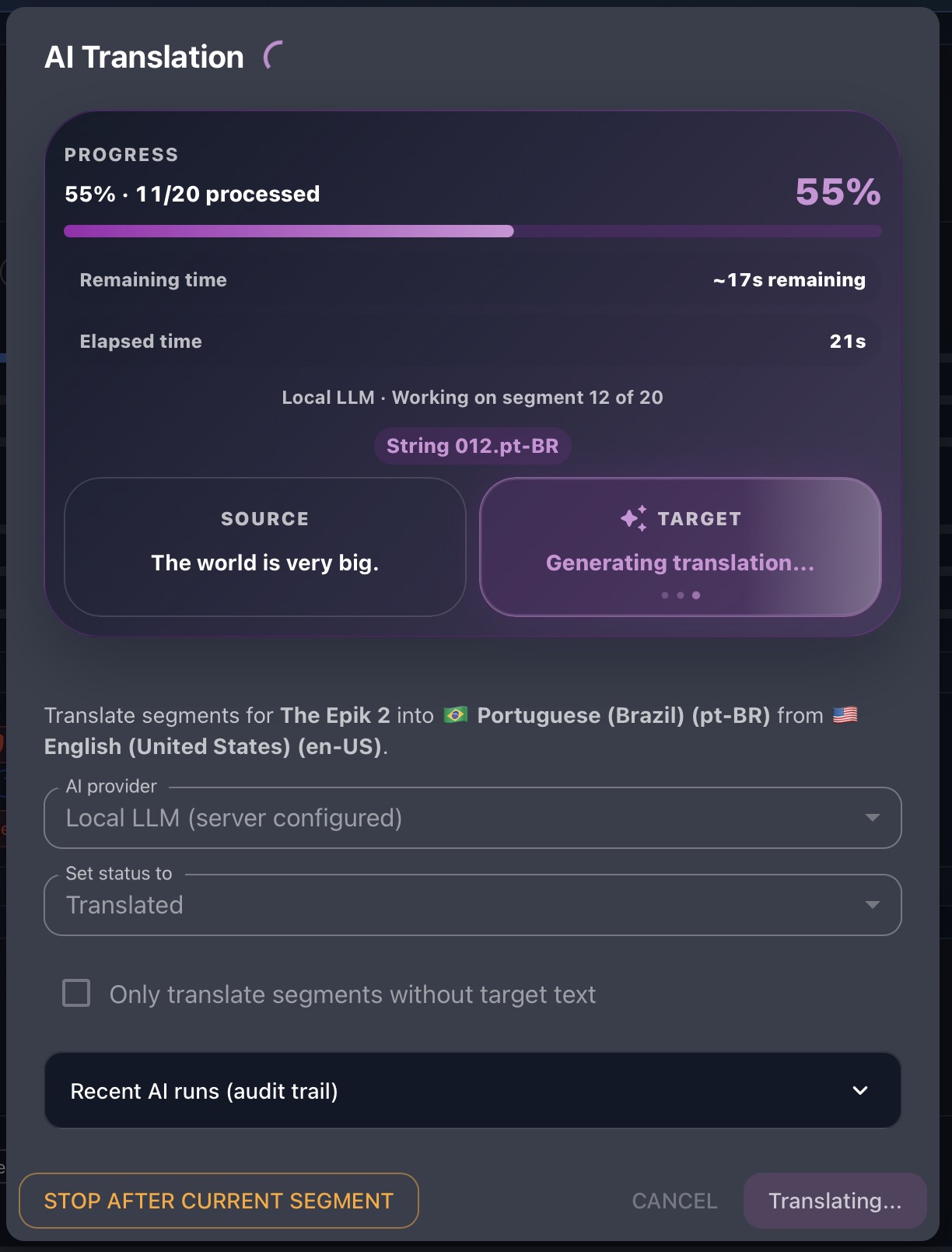

Local LLM
Draft translations and Adventure content against models running on infrastructure you control, with human review still at the center.
Read the Local LLM setup guide
Gaia 3.0
New to Gaia 3.0? Start with the story behind the release.
Our article walks through native Unity and Unreal Engine integration, local LLM support, and the broader Gaia 3.0 capability set - so this page can stay focused on product depth, screenshots, and the feature catalog.
Gaia 3.0 Unleashed: Game Engine Integration and Local LLM SupportGaia platform
Gaia is Tomori’s approach to game localization and content creation: a system designed around quality, control, efficiency, and deployment flexibility, with Gaia 3.0 extending that foundation through Unity, Unreal Engine, and local AI workflows.
Built from deep experience in localization, game production, and software operations, Gaia brings translation workspaces, QA, review workflows, reporting, content-creation tools, and configurable deployment options into one platform for teams shipping modern software and games.
Gaia 3.0 hero features
Draft translations and Adventure content against models running on infrastructure you control, with human review still at the center.
Read the Local LLM setup guide
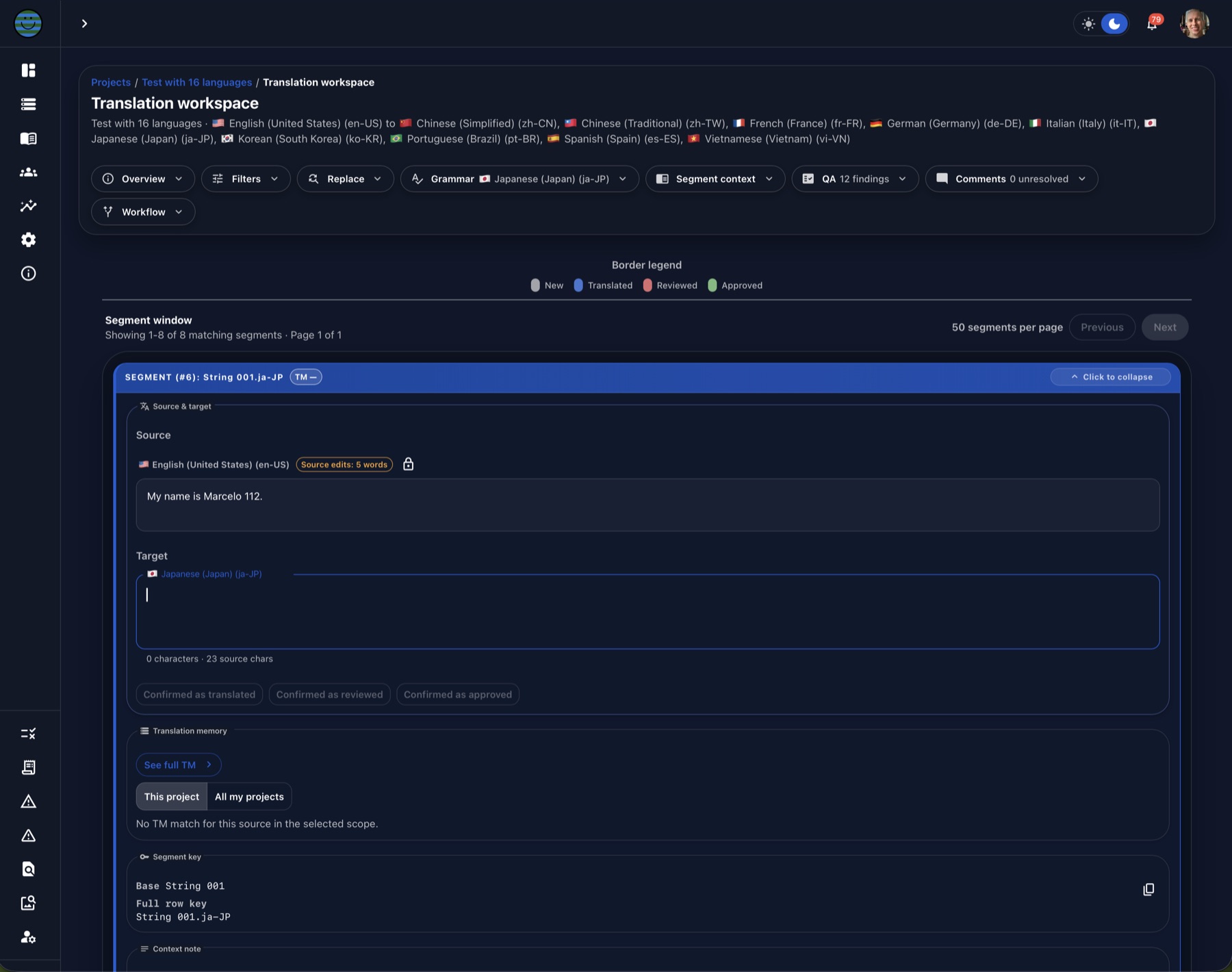
Bring Gaia translation memory into Unreal Editor and trusted development builds so teams can inspect localized strings in real game context.
Read the Unreal setup guide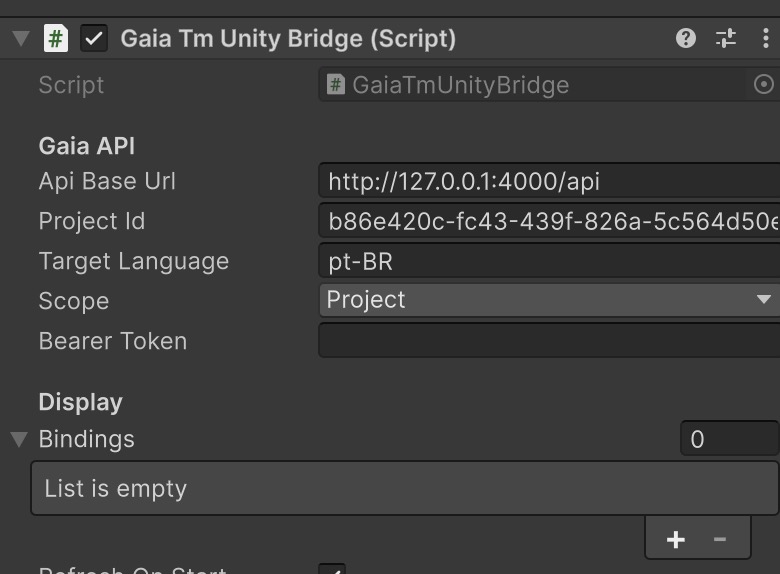
Wire Unity UI text and workflow swatches to live Gaia translation memory, then validate localized strings in Play mode before release packaging.
Read the Unity setup guideGaia in practice
Why Gaia is different
Gaia combines strong translation workflow fundamentals with deeper control over deployment, customization, and long-term ownership. Its goal is simple: help teams work faster, review better, and operate with greater confidence.
Context-aware review, glossary management, translation memory, automated QA, grammar review, numeric checks, formatting checks, and source-change detection help teams catch issues before delivery.
Gaia can be deployed in customer-controlled environments and commercially scoped with source code access for teams that require deeper engineering ownership.
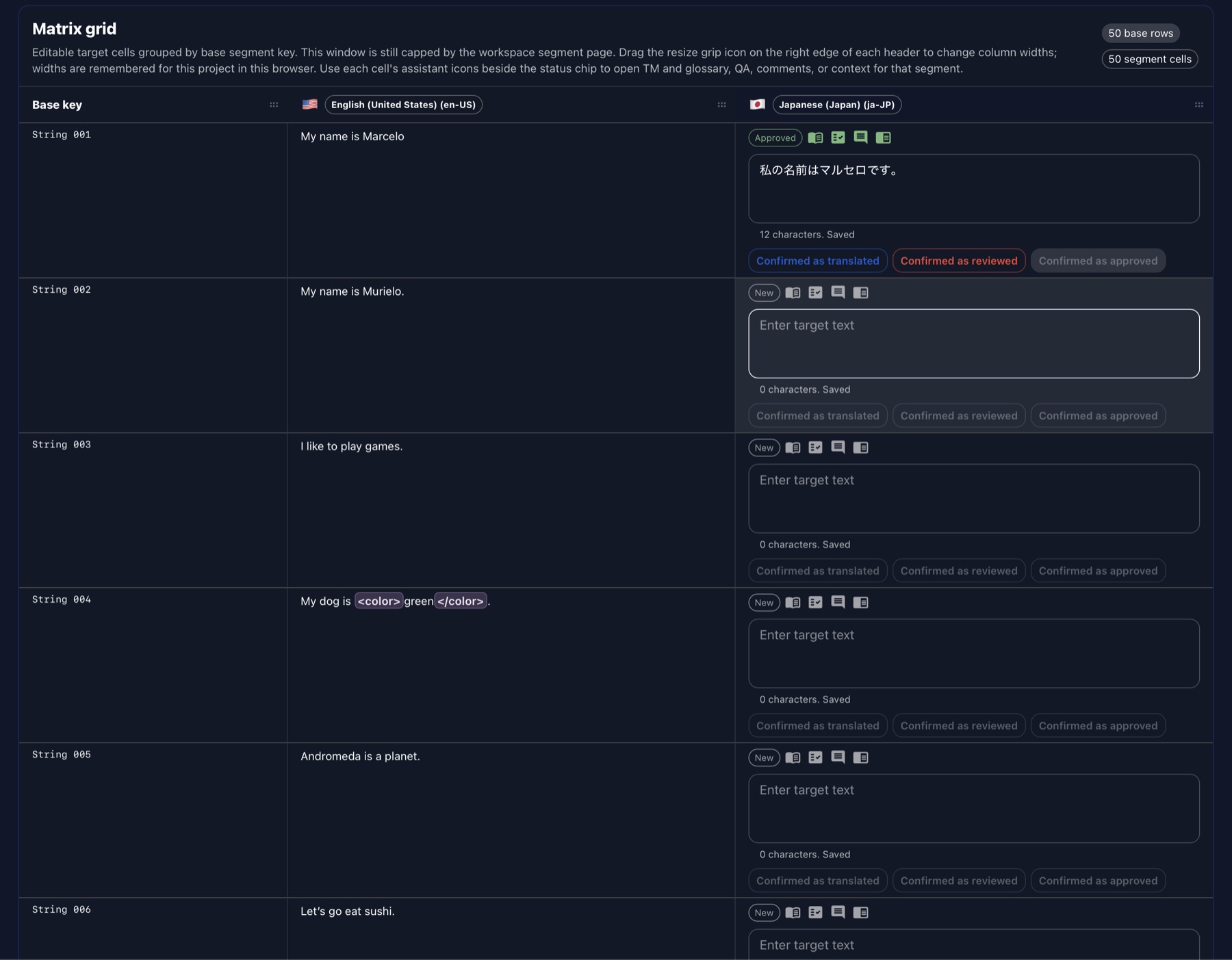
Translation memory pre-translation, auto-propagation, search and replace, matrix view, AI and machine translation suggestions, and multi-format import/export reduce repetitive work while preserving review quality.
Configurable solution scope, self-hosted deployment options, source code access, and non-recurring license structures support organizations with specific workflow, technical, and procurement constraints.
Feature highlights
A browser-based workspace with filters, saved presets, comments, context panels, matrix view, translation memory reuse, glossary support, AI and MT suggestions, and production-focused editing modes.
Local AI workflows let teams draft translations and content with models running on infrastructure they control, keeping sensitive strings away from cloud inference when privacy is the priority.
Gaia can bring translation memory into Unreal Editor and trusted development builds so teams validate localized strings and workflow status in real game context.
Unity teams can wire UI text and workflow swatches to live Gaia project data, then check localized strings in Play mode before release packaging.
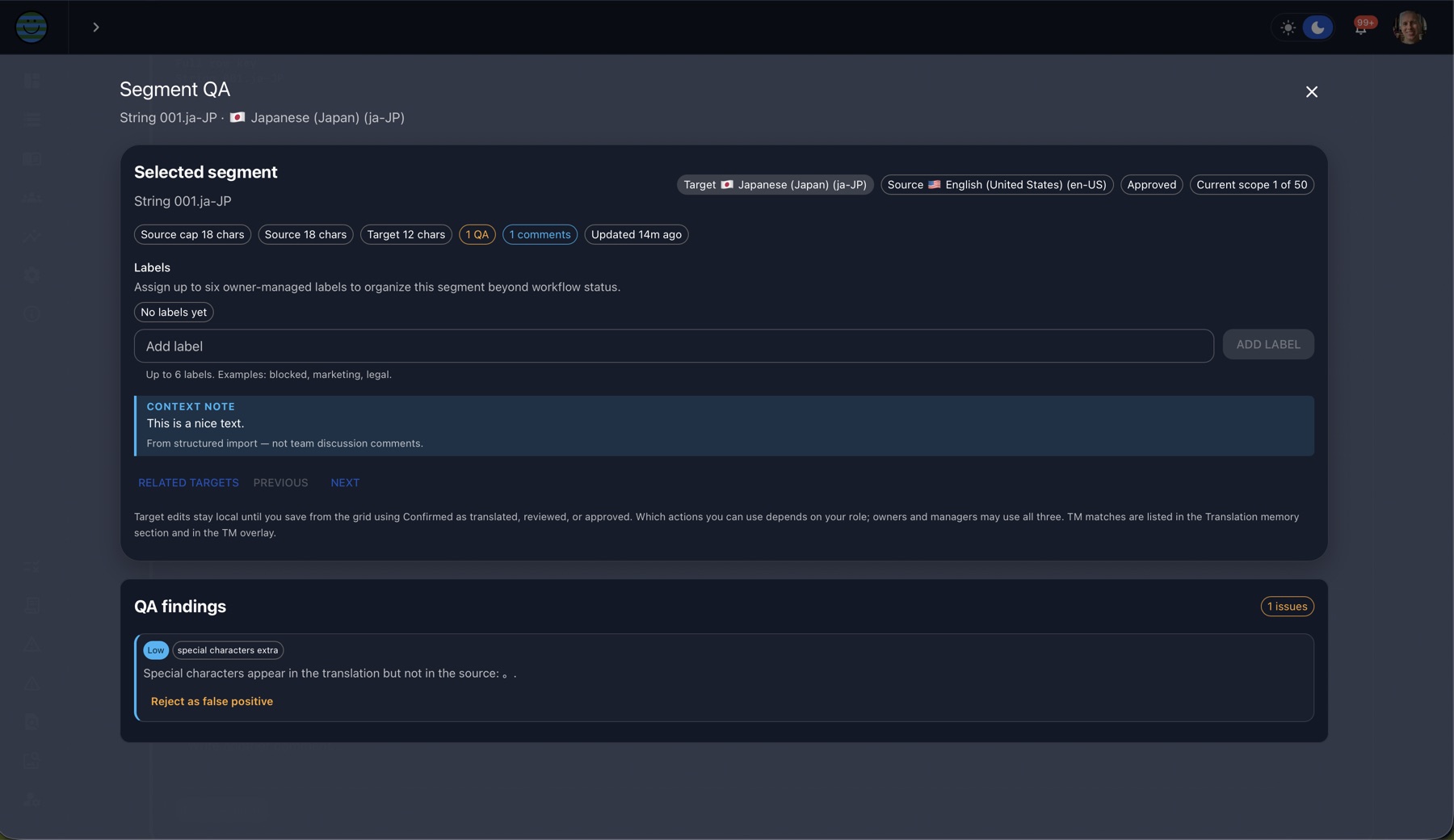
Built-in QA covers completeness, source-change detection, glossary compliance, placeholder and tag integrity, numeric fidelity, locale formatting, source-copy detection, grammar review, and length compliance.
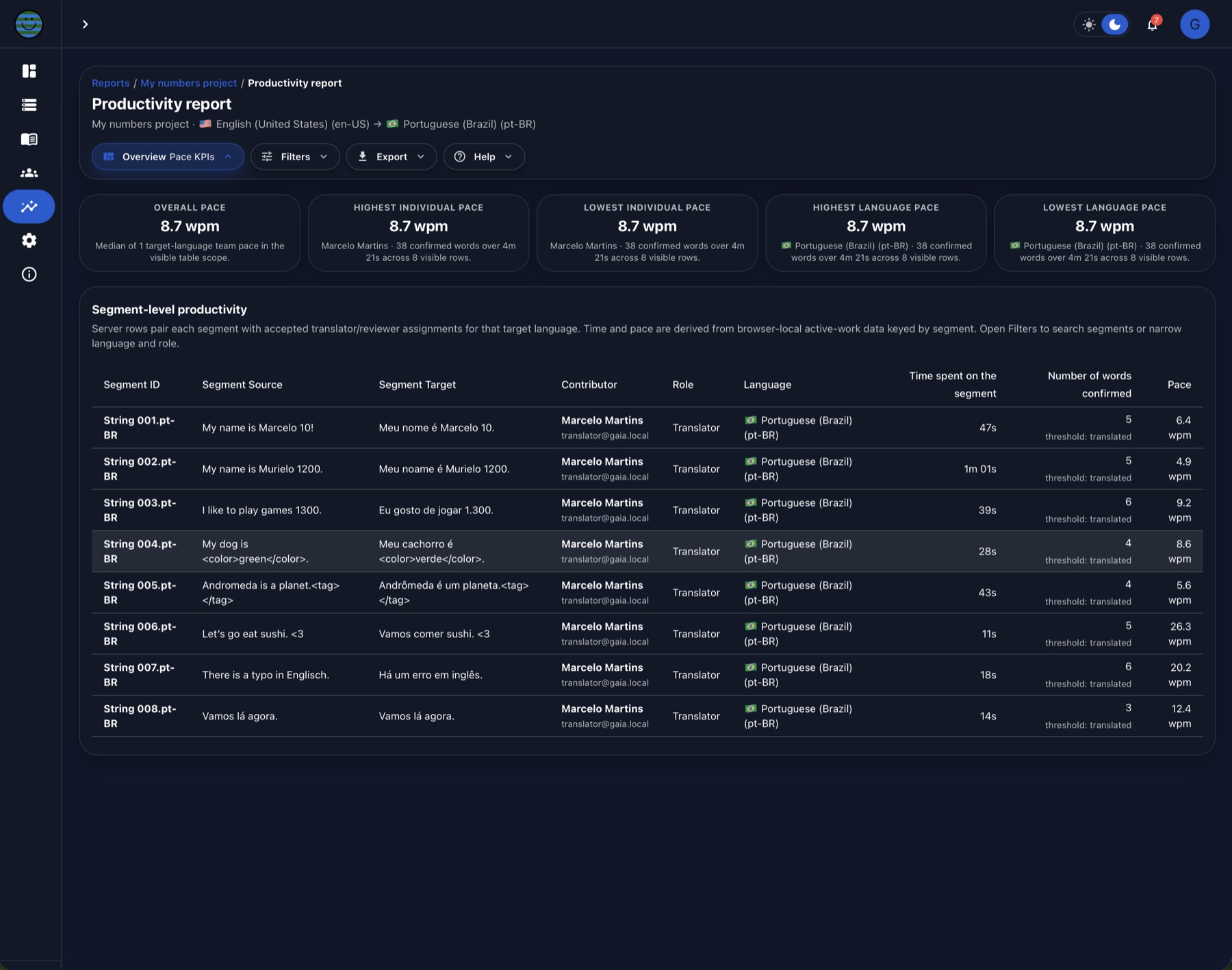
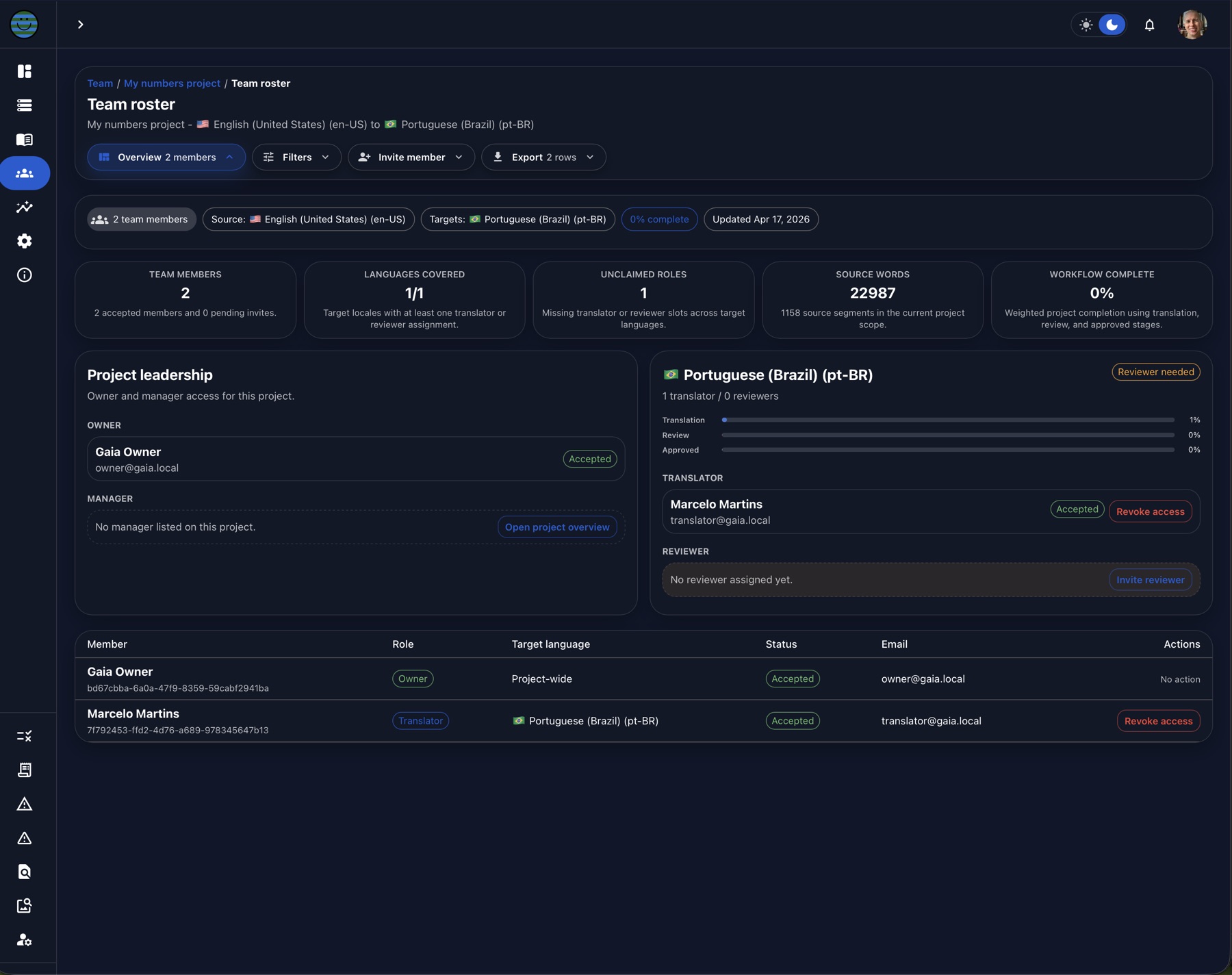
Productivity reporting, workflow issue reporting, import history, and team roster views support project oversight and operational follow-through.
Gaia can be commercially scoped for self-hosting, configurable solution packaging, source code access, and non-recurring license structures where needed.
Open a category to scan the detailed feature set without turning the page into a long static checklist.
Navigation, access, organization boundaries, account controls, and project setup.
Editing, reuse, local AI, translation memory, glossary, review, and import workflows.
Automated QA, language-level review, terminology enforcement, LQA, and delivery risk checks.
Reporting, project administration, client review, billing support, and delivery planning.
Unity, Unreal Engine, and platform integration points for development workflows.
Commercial and technical packaging options for controlled deployments and long-term ownership.
Dedicated workflows for narrative content, item creation, and creator-facing project work.
Complete Gaia gallery
Browse the full product catalog - 107 features as UI captures or concept illustrations, with walkthrough videos where available - grouped by workspace, translation, QA, reporting, Adventure, Forge, integrations, and packaging. Open any card for a full-size view and screen recording when provided.
FAQ
Gaia is built for teams that need translation speed, vendor flexibility, and strong operational control. These answers explain how Gaia handles AI, data ownership, customer-controlled deployments, and vendor workflows.
AI governance
No. Gaia is a translation management system and content workflow platform first. AI can be used where it adds value, but it is not the foundation of the product.
Gaia’s core value is structured project management, translation workflows, context review, terminology control, translation memory, collaboration, QA, and operational visibility. Teams that want AI assistance can use it in controlled ways; teams that do not want AI involved can still run Gaia as a robust, human-led localization environment.
Yes. Gaia can be configured to operate without AI-assisted features. Teams can use project setup, translation management, review workflows, terminology, translation memory, quality checks, comments, context review, and delivery without relying on AI translation or AI-generated content.
This matters for organizations with strict data policies, client restrictions, vendor requirements, legal constraints, or internal preferences around human-only localization workflows.
Tomori treats AI as a configurable tool, not a default requirement. Clients and product owners decide whether AI belongs in a project, which workflows may use it, and which providers or local models are acceptable for their environment.
Gaia can support AI translation through local models or approved external providers, but its workflow is built around human review, glossary consistency, quality control, and accountable production decisions.
The customer controls which AI providers are approved for use in their Gaia deployment. Access can be restricted, configured, or disabled according to internal policies, procurement rules, security requirements, and client obligations.
Tomori does not require customers to use a specific AI provider as part of Gaia.
Data ownership and access
No. Gaia is a content and translation management system with translation memory, glossary management, QA, and review workflow at its core. Gaia does not train shared AI models on your project content.
Gaia is delivered as a custom software solution inside your organization or another customer-owned environment. Any future use of project data for model improvement, internal fine-tuning, or similar processes is a client-side decision and should happen only when it matches the organization’s policies.
Gaia runs in your local environment or in a cloud environment chosen by your organization, so it can follow your network, security, and procurement policies. By default, Gaia does not send project content to the internet; outbound AI calls require an enabled workflow and an authorized external service.
Organization-level AI policy controls can restrict approved providers, automatic engine selection, prompt templates, outbound masking rules, and audit logging for applied AI or machine translation runs.
For customer-owned deployments, access is controlled by the customer. Tomori does not need unrestricted access to project content for Gaia to function.
If support, configuration, maintenance, or troubleshooting is required, access can be handled according to the customer’s internal policies and approval process. In practice, customer data access can be limited, temporary, scoped, or fully restricted depending on the deployment model and support agreement.
The customer owns their project data. This includes source content, translations, glossaries, terminology databases, translation memories, comments, review notes, metadata, project history, and other customer-provided or customer-generated materials inside Gaia.
Gaia is designed to help organizations manage and control their localization assets, not transfer ownership of those assets to Tomori, vendors, or AI providers.
Yes. With the full source code option, your organization can adapt Gaia to its own policies, infrastructure, and engineering goals. That may include changing workflows, adding features, connecting internal AI services, or building training and improvement processes on systems you control.
Those changes can be handled by your internal developers or with support from Tomori, depending on how much customization you want after deployment.
Deployment control
Yes. Gaia can be delivered in a customer-controlled deployment model. This is useful for organizations with strict security, procurement, infrastructure, or data governance requirements.
A customer-controlled deployment can help organizations manage where Gaia runs, how access is governed, and how project data is handled. For teams that require stronger operational ownership, this model provides greater control over infrastructure, integrations, data flows, and long-term system governance.
Vendors and Tomori’s role
Yes. Gaia is designed to support vendor flexibility. Organizations can use Gaia with internal localization teams, external translation vendors, LQA partners, freelancers, reviewers, or hybrid operating models.
Gaia does not require customers to use Tomori as a translation provider, and it does not lock customers into a specific vendor network. The goal is to give organizations better control over their workflows, regardless of who performs the translation or review work.
No. Gaia is built to support translators, reviewers, localization managers, vendors, and content teams. It helps teams work with more structure, context, consistency, and operational control.
Gaia can reduce repetitive work, improve visibility, and support better decision-making, but professional judgment remains essential to high-quality localization. Translation requires context, tone, cultural understanding, product knowledge, player experience awareness, and quality review. Gaia is designed to strengthen that process, not remove the people responsible for it.
No. Tomori’s role is custom software development and technical consulting. We do not provide translation, linguistic QA, functional QA, game testing, software testing, or other production localization services, and we do not recommend or broker external vendors for those services.
Gaia is designed to support the vendors your organization already trusts. You can add preferred translation, review, QA, and testing partners in the vendor section, manage their rate cards, and keep that operational data inside your own Gaia environment.
Technical specifications
The baseline below covers Gaia without adding a local LLM runtime, GPU inference server, or external managed AI capacity.
What is the technology used?
| Layer | Technology | Notes |
|---|---|---|
| Application model | TypeScript monorepo with npm workspaces | Separate frontend, backend, and shared contract packages. |
| Frontend | React 19, Vite 8, TypeScript, Material UI 7, Emotion, TanStack Query, React Router, Socket.IO client | Browser-based SPA for projects, translation workspace, QA, reports, settings, and admin flows. |
| Backend | Node.js, TypeScript, Fastify 5, Zod, Socket.IO, Fastify CORS, Helmet, multipart upload handling | API service for authentication, projects, segments, imports, exports, QA, reporting, integrations, and realtime collaboration. |
| Persistence | PostgreSQL with Prisma 6 | Recommended shared deployment path. A file-backed in-memory fallback exists for local or single-machine development. |
| File and content processing | xlsx, fast-xml-parser, fflate, snappyjs, decompress, keynote-parser2, marked, DOMPurify | Supports structured content import/export, spreadsheet handling, rich text/Markdown flows, and compressed package parsing. |
| Integrations | Project API keys, webhooks, Unity and Unreal Engine bridge workflows | Designed for game and software localization teams that need engine-side context and controlled automation. |
| AI and language providers | Optional OpenAI, local LLM/Ollama-compatible endpoint, LibreTranslate, MyMemory, LanguageTool grammar checking | Provider integrations are optional and are not required for the baseline server/client deployment. |
| Security and enterprise options | Token-based Gaia auth, optional OIDC SSO, optional SCIM provisioning, online hardening with Helmet and strict CORS/Socket.IO origins | Production deployments should use unique secrets, HTTPS, configured browser origins, and PostgreSQL persistence. |
| Quality and validation | ESLint, TypeScript checks, Playwright e2e and performance probes, Prisma validation/migrations | Repo scripts include build, typecheck, lint, e2e, database validation, and performance budget workflows. |
Minimum recommended setting
| Target | Minimum recommended setting | Notes |
|---|---|---|
| Server workload | Gaia API plus PostgreSQL, no LLM runtime | No GPU is required for this baseline. Add separate GPU/AI sizing only if a local LLM is deployed. |
| Server CPU | 4 vCPU or modern quad-core CPU | Increase for heavy concurrent imports, exports, reports, or large multi-team deployments. |
| Server memory | 16 GB RAM | 8 GB can work for small development use, but 16 GB is the practical floor for API plus PostgreSQL and large project data. |
| Server storage | 100 GB SSD/NVMe minimum | Size upward for database growth, uploaded source files, exports, backups, and audit history. |
| Server OS/runtime | Linux server recommended; macOS or Windows acceptable for private/internal hosting. Node.js 24.x and PostgreSQL 16 are the inspected baseline versions. | Keep Node, npm dependencies, Prisma migrations, and PostgreSQL backups under normal release control. |
| Server network | HTTPS endpoint, stable LAN/WAN access, reverse proxy recommended | Gaia exposes the browser app and /api service; production should configure allowed origins and TLS. |
| Client workload | Browser client only | Users do not need a local Gaia install. |
| Client CPU and memory | Modern 2-core CPU with 8 GB RAM | 16 GB RAM is better for users who keep many large projects, browser tabs, and media references open. |
| Client browser | Current Chrome, Edge, Safari, or Firefox | The UI is a modern SPA and should be kept on an evergreen browser version. |
| Client display and network | 1366 x 768 minimum; 1920 x 1080 or larger recommended. Stable broadband or LAN connection. | Gaia’s translation grid, QA, report, and engine-context screens are more efficient on larger displays. |
How to buy
Option 1
You can purchase the full source code of Gaia and expand or customize it to match your workflows. This will be deployed in your network environment. Comes with 1 month of free development.
Option 2
Tomori will search for hosting solutions for Gaia and make a custom environment with one of our partners. You can also customize Gaia in any way you want.
Share your deployment constraints and review priorities. We will suggest the most relevant walkthrough and next steps.
Book a demo
