Translation Memory as a Production Asset
Translation memory is one of the foundations of professional computer-assisted translation. In Gaia, it plays the same central role: preserving approved translation decisions, surfacing reusable matches, and helping teams maintain consistency across ongoing localization work.
The translation memory is deeply connected to the Translation Grid. As linguists translate, review, and approve content, Gaia can make that work available again as exact and fuzzy matches. The goal is not only speed. It is also continuity: the same source content, terminology, tone, and product language can be reused with more confidence across the project.
Accessing the Project Translation Memory
To access the translation memory for a project, select Translation Memories from the left navigation panel. The landing page follows the same project-card pattern used throughout Gaia: the project information remains on the card, while related actions are available on the right.
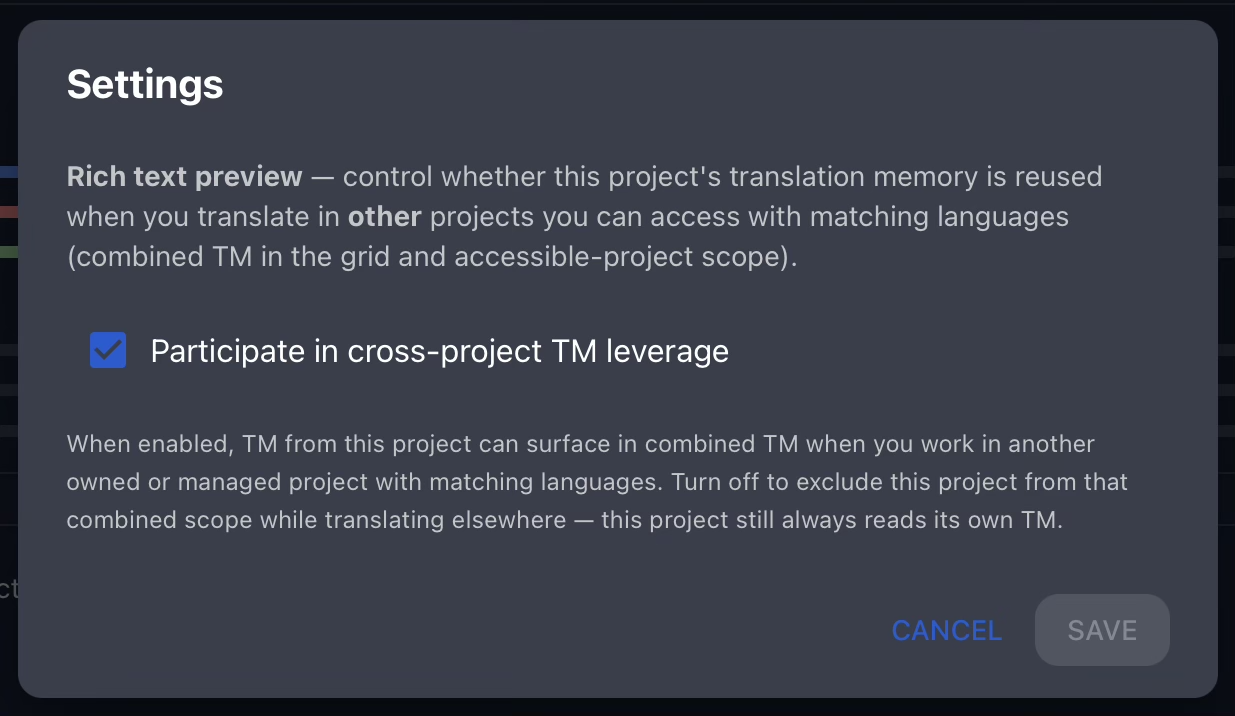
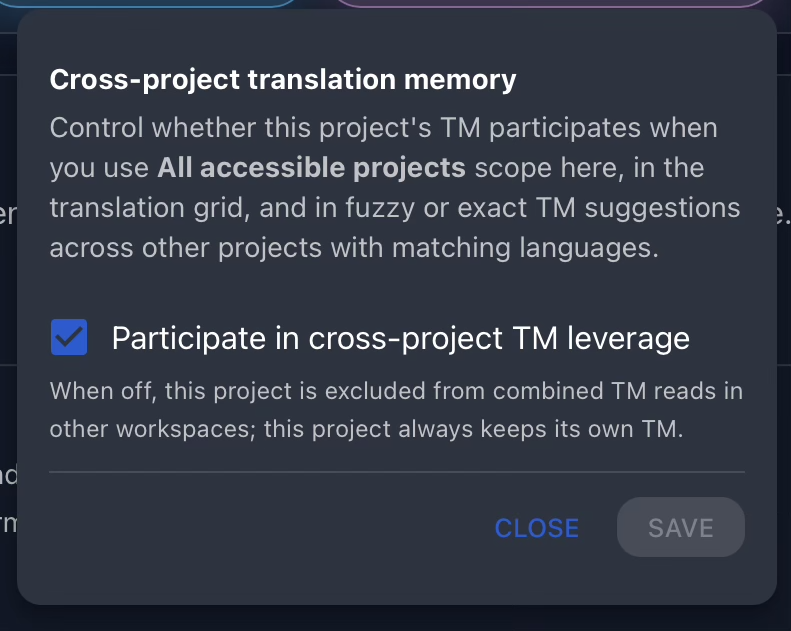
Gaia also allows translation memories to be shared between projects when that fits the organization’s workflow. To review those controls, select Settings from the project action panel.
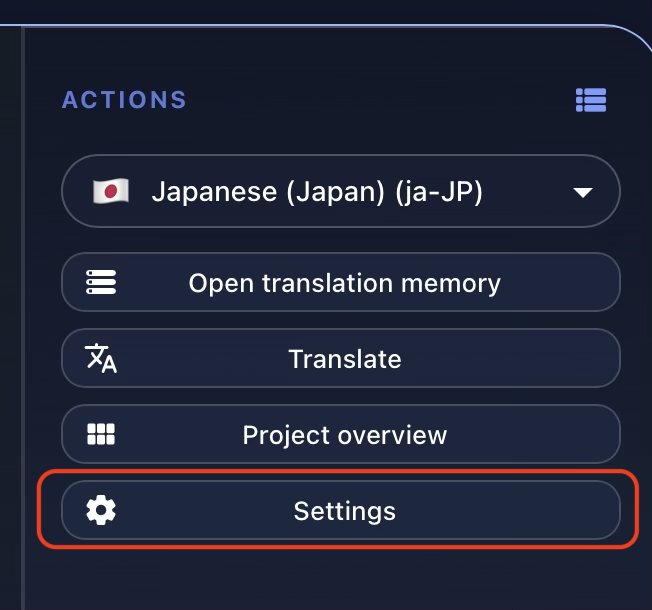
Shared translation memory is useful when different projects belong to the same product line, franchise, platform, or content universe. Instead of duplicating memory files manually, teams can keep each project organized while allowing approved memory to support related work.
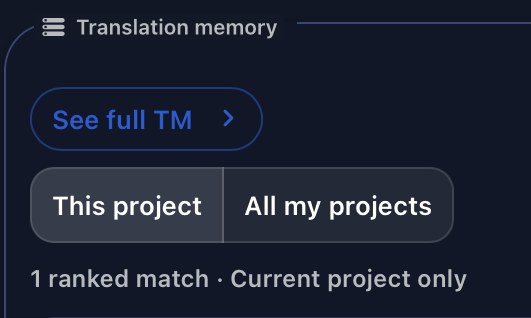
When shared memories are available, linguists can enable the option to search across all accessible TMs and see those matches directly inside the Translation Grid.
Opening the Translation Memory
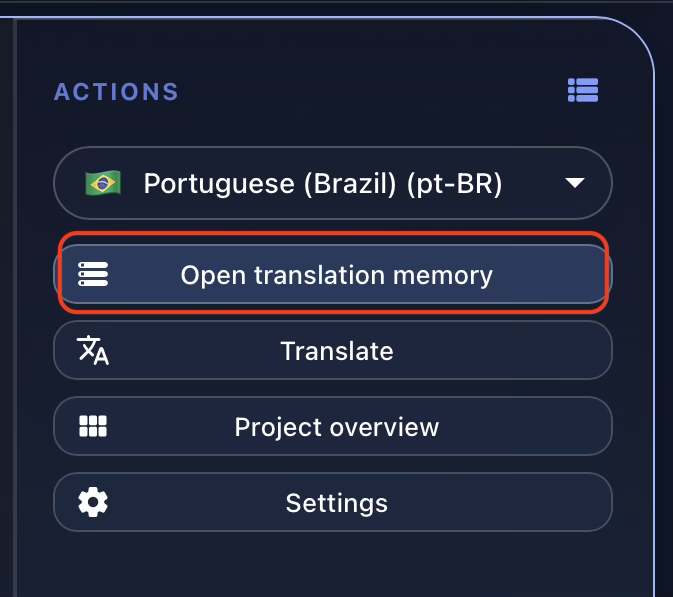
To inspect the project memory itself, select Open Translation Memory from the project card. This opens the dedicated Translation Memory workspace for the project.
At the top of the page, Gaia shows the breadcrumb navigation (1), followed by the project name, source language, and target languages attached to the memory (2).

Overview
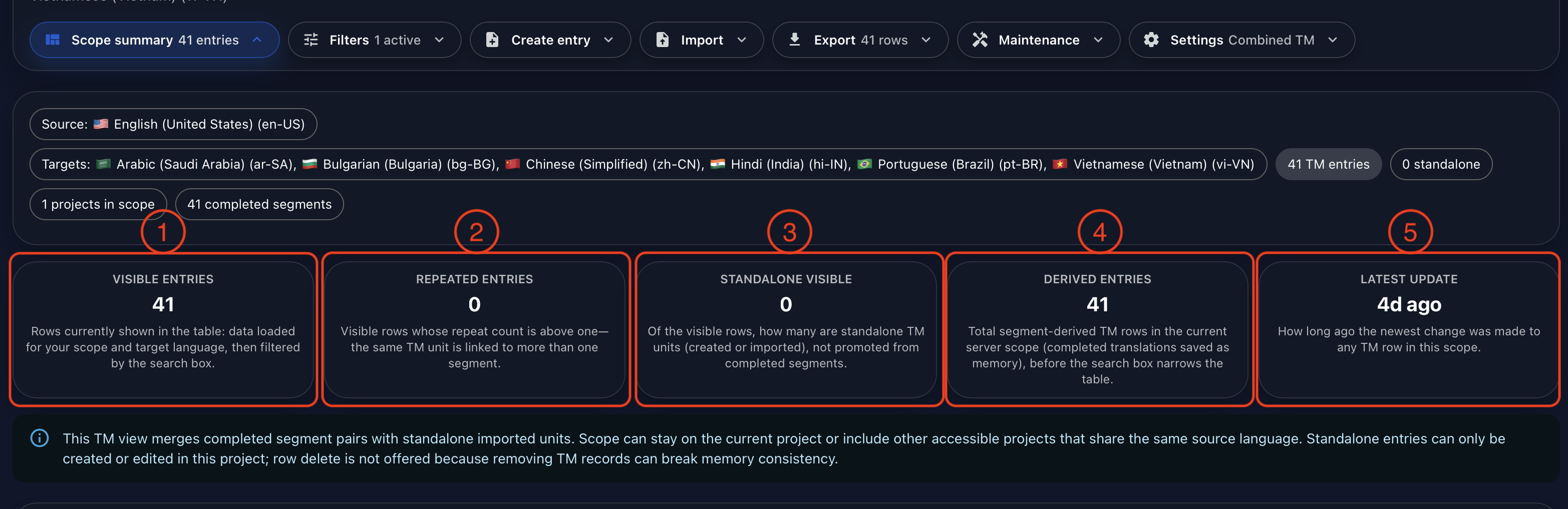
The Overview panel summarizes the current state of the visible translation memory. It shows the number of visible entries (1), repeated entries (2), standalone visible entries created manually (3), derived entries generated through translation work in the grid (4), and the last time the memory was updated (5).
By default, Gaia protects translation memory entries that are tied to completed work in the Translation Grid. A TM entry is a source-target pair, so deleting it without considering the project grid could create conflicts with already completed work. When a project owner needs to remove target content, the safer operation is to clear targets through the project card rather than deleting memory history casually.
Filters
Filters help teams locate the right memory entries quickly. You can search for text in either source or target content (1), choose whether the search should include additional accessible projects (2), select the target language to inspect (3), and clear the active filters when you want to reset the view (4).

Standalone Entries
Gaia can also store standalone TM entries that are added manually instead of being derived from translated grid segments. This is useful for seed memory, recurring product phrases, approved boilerplate, or entries that should be available before translation starts.
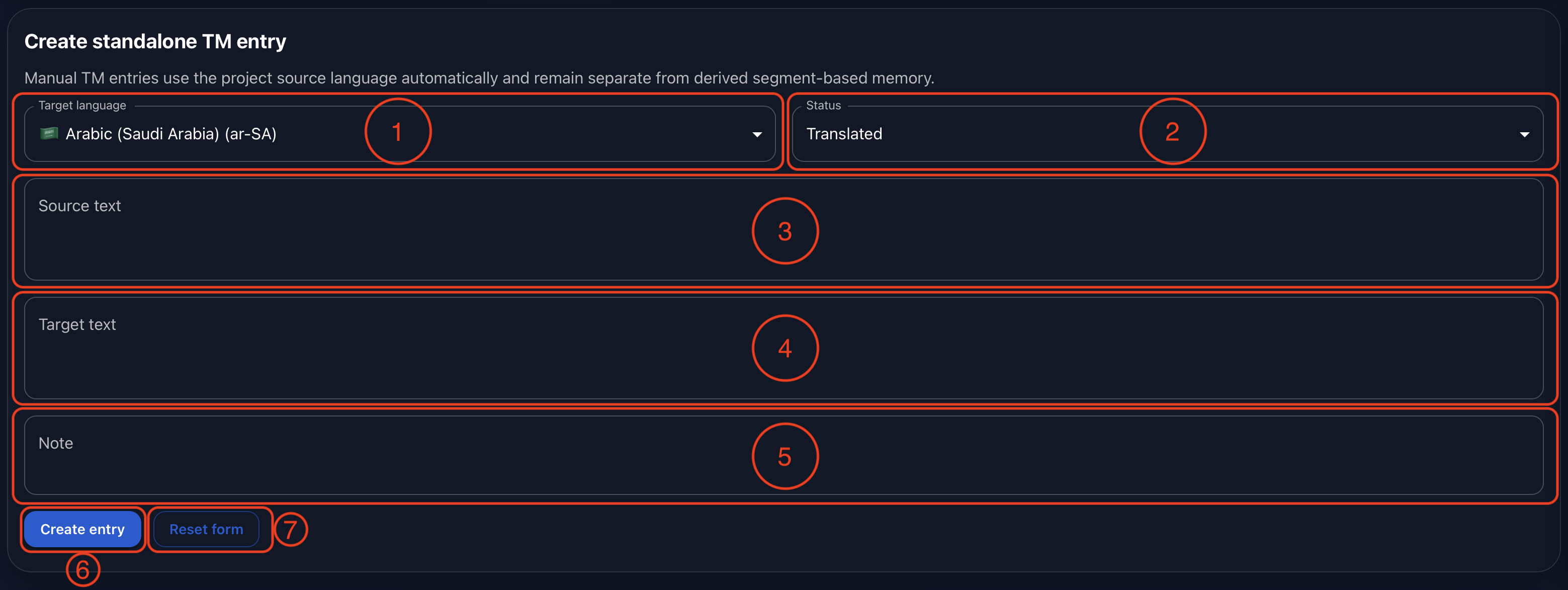
To create a standalone entry, choose the target language (1), select the workflow status for the entry (2), enter the source text (3), enter the target text (4), and add an optional note when helpful (5). Then create the entry (6) or reset the form (7).
Batch Import
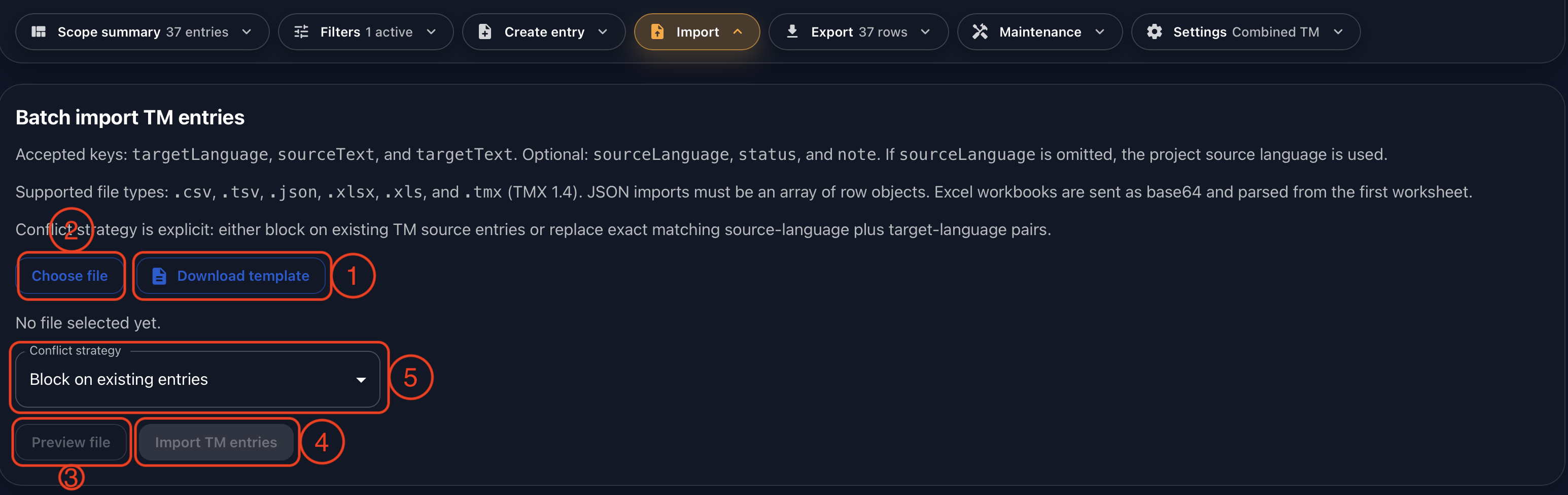
For batch import, Gaia recommends downloading the template first (1). The template includes the expected headers so the file can be prepared consistently before upload. After editing the file, choose it from your computer (2), preview the content (3), and import the entries (4).
The conflict strategy controls what happens when an imported source already exists in the memory (5). Teams can block conflicting rows so they are not imported, or replace existing rows when the source content is an exact match and the updated target should become the active standalone memory entry.
Export
Gaia can export translation memory in CSV, TSV, JSON, and TMX formats. The export respects the filters currently applied on the page, so teams can export the full visible memory or a narrower working set by language, scope, or search criteria.

Maintenance
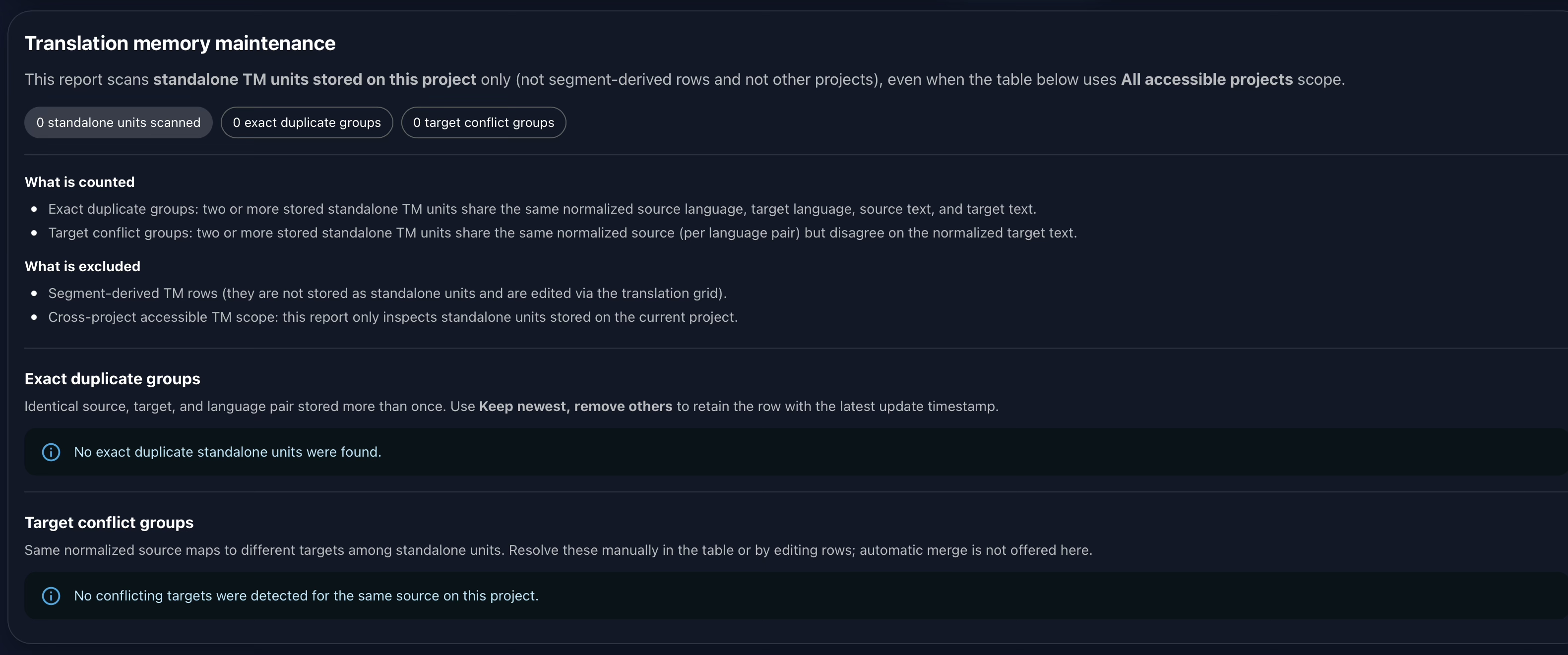
The Maintenance section helps improve the consistency of standalone entries stored in the current project. Gaia looks for two specific types of issues:
- Exact duplicate groups: two or more standalone TM units share the same normalized source language, target language, source text, and target text.
- Target conflict groups: two or more standalone TM units share the same normalized source for a language pair, but disagree on the normalized target text.
The maintenance report intentionally excludes:
- Segment-derived TM rows, because those are edited through the Translation Grid.
- Cross-project accessible TM scope, because this report inspects standalone units stored on the current project.
Settings and Governance
In Settings, project owners can decide whether the current translation memory is available to other projects. This keeps reuse under explicit project control. A team can keep memory private when the content is sensitive, product-specific, or governed by client restrictions, or allow broader access when related projects benefit from shared terminology and approved translations.
Conclusion
Gaia’s Translation Memory follows the core practices that have shaped the translation industry for decades: reuse approved work, preserve consistency, support exact and fuzzy matching, and keep localization assets under structured control.
As with the rest of Gaia, the workflow is also adaptable. If your organization needs a different import policy, review rule, permission model, memory-sharing pattern, or maintenance process, Gaia can be customized to match your operational requirements and internal policies.
Watch the full demonstration below.
Full Demonstration
The video walks through the full Translation Memory workflow, from opening the project memory and reviewing the overview to creating standalone entries, importing and exporting data, running maintenance, and configuring shared-memory settings.
Follow Tomori Systems on YouTube, Instagram, TikTok, and LinkedIn for more Gaia updates.