
Content Creation Connected to Localization
Adventure is Gaia’s workspace for writing quest and narrative content before that content moves into localization. Teams can create quest titles, objectives, NPC dialogue, system instructions, flavour text, lore entries, branching dialogue, and related game text in the same environment where localization work will later happen.
The important point is control. Adventure is not a system that decides what the story should be. It gives writers, designers, editors, and reviewers a structured place to define the brief, draft the content, check project constraints, and decide when a line is ready to enter the Translation Grid.
Optional AI-assisted drafting can be available when a company allows it and the project owner approves it, but that assistance remains a tool. People choose whether to use it, what context to provide, which suggestion to inspect, what to edit, and whether anything should be submitted to the project.
Opening Adventure
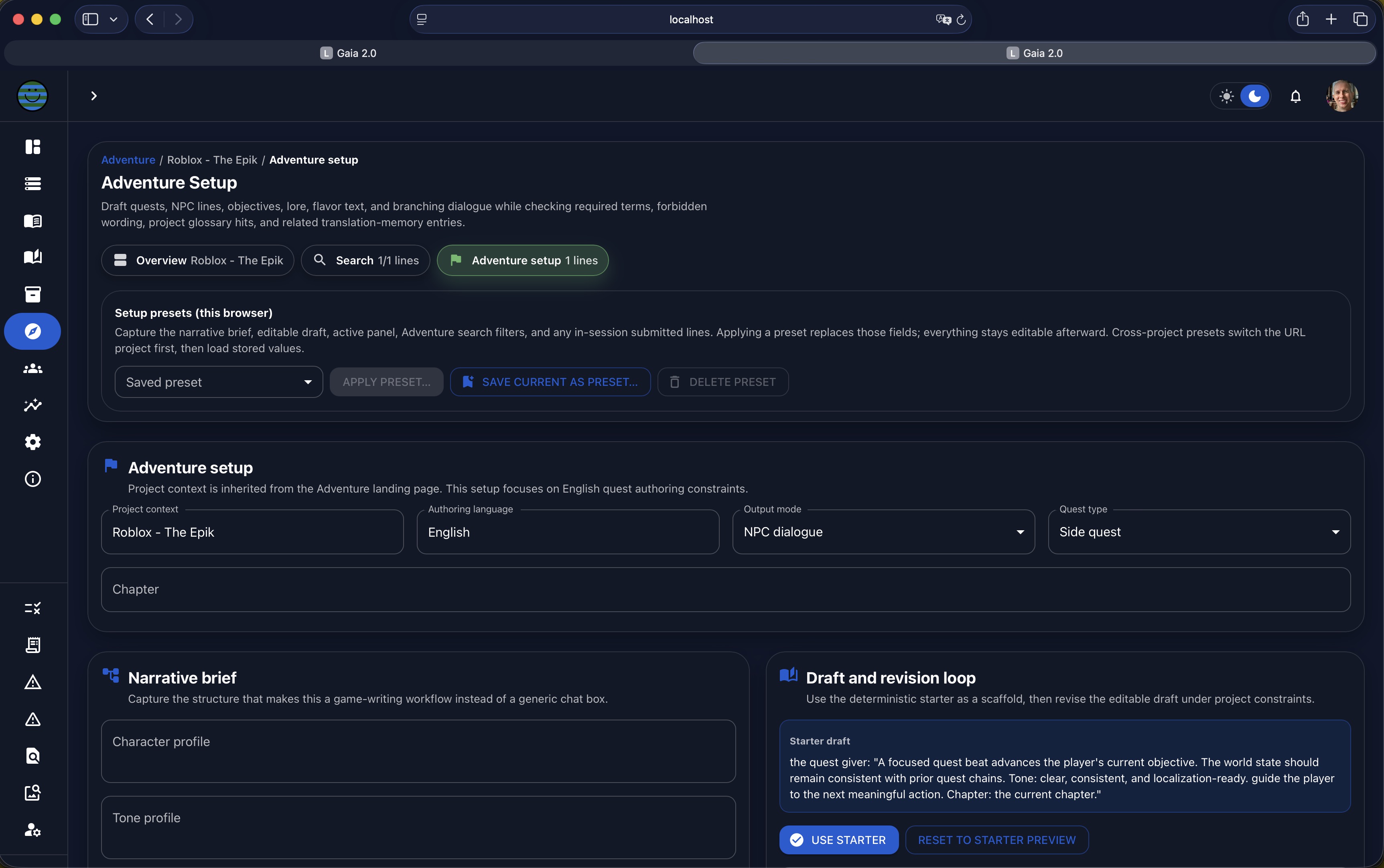
To start, users open the Adventure section from Gaia’s left navigation and choose the project they want to work on. Adventure keeps project context visible so the author knows which game, chapter, or content set they are preparing before writing begins.
The setup area identifies the active project (1) and the authoring language (2). The output mode (3) defines the kind of line being created, such as quest title, objective, NPC dialogue, system instruction, flavour text, lore entry, or branching dialogue. The quest type (4) can classify content as a main quest, side quest, branching quest, tutorial quest, bounty, faction quest, class quest, region quest, or another project-specific label. The chapter field (5) anchors the content to the part of the game where it belongs.
These labels are practical production controls, not creative decisions made by Gaia. Teams can adapt the labels to match their own content model, and the author still decides what the quest is, how it should sound, and when the setup is accurate enough to continue.

Searching Adventure Lines
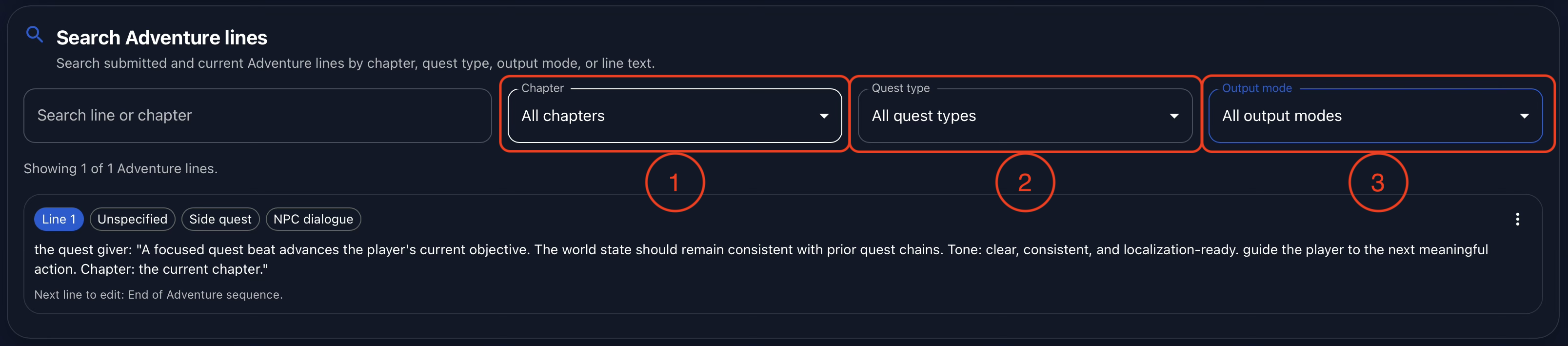
Adventure also includes search and filtering for authored lines. Users can search by text or chapter, then narrow the view by chapter (1), quest type (2), or output mode (3). This makes it easier to return to a specific quest chain, inspect a single content type, or review related dialogue without scrolling through unrelated material.
This is especially useful once Adventure has become a working inventory of authored content. A writer can find every line attached to a side quest, a reviewer can focus on NPC dialogue, and a localization lead can inspect the source lines that are about to enter translation.
The Narrative Brief
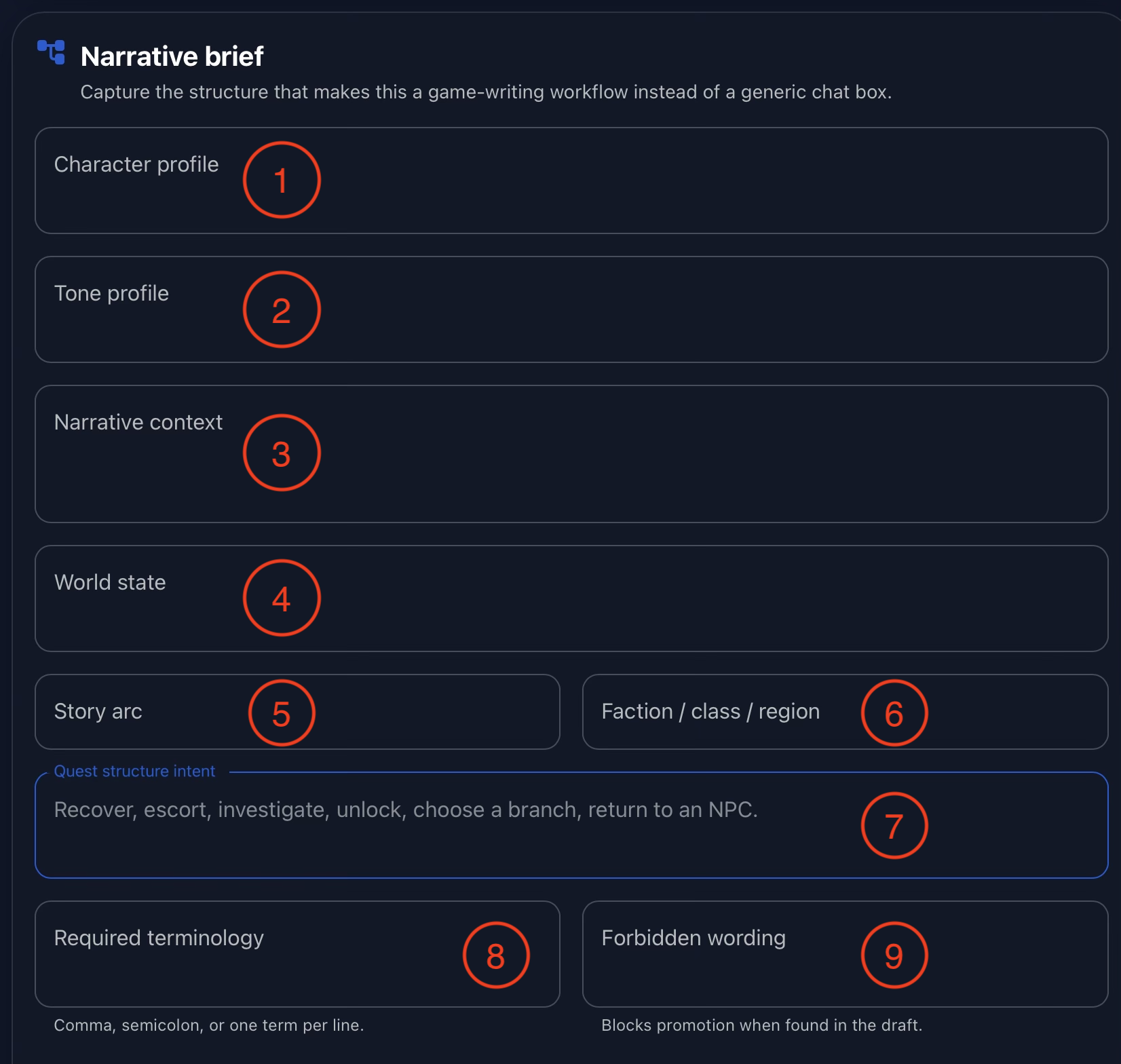
The narrative brief is where the author defines the context that should guide the work. Users can describe the character profile (1), including the character’s role and speaking style, then define the tone profile (2), such as heroic, somber, grounded, comic-relief, or any other tone the project needs.
The narrative context (3) explains what is happening in the quest, while the world state (4) records larger events that may affect the scene. The story arc field (5) connects the content to a chapter, arc, or quest chain, and the optional faction, class, or region field (6) adds a production-specific grouping when the project needs it.
Users can also define the quest structure intent (7), required terminology (8), and forbidden wording (9). These fields help Adventure check whether the draft respects the project’s constraints, but they do not replace editorial judgment. The author is still responsible for the brief, the intent, and the quality of the resulting text.
Draft and Revision Loop
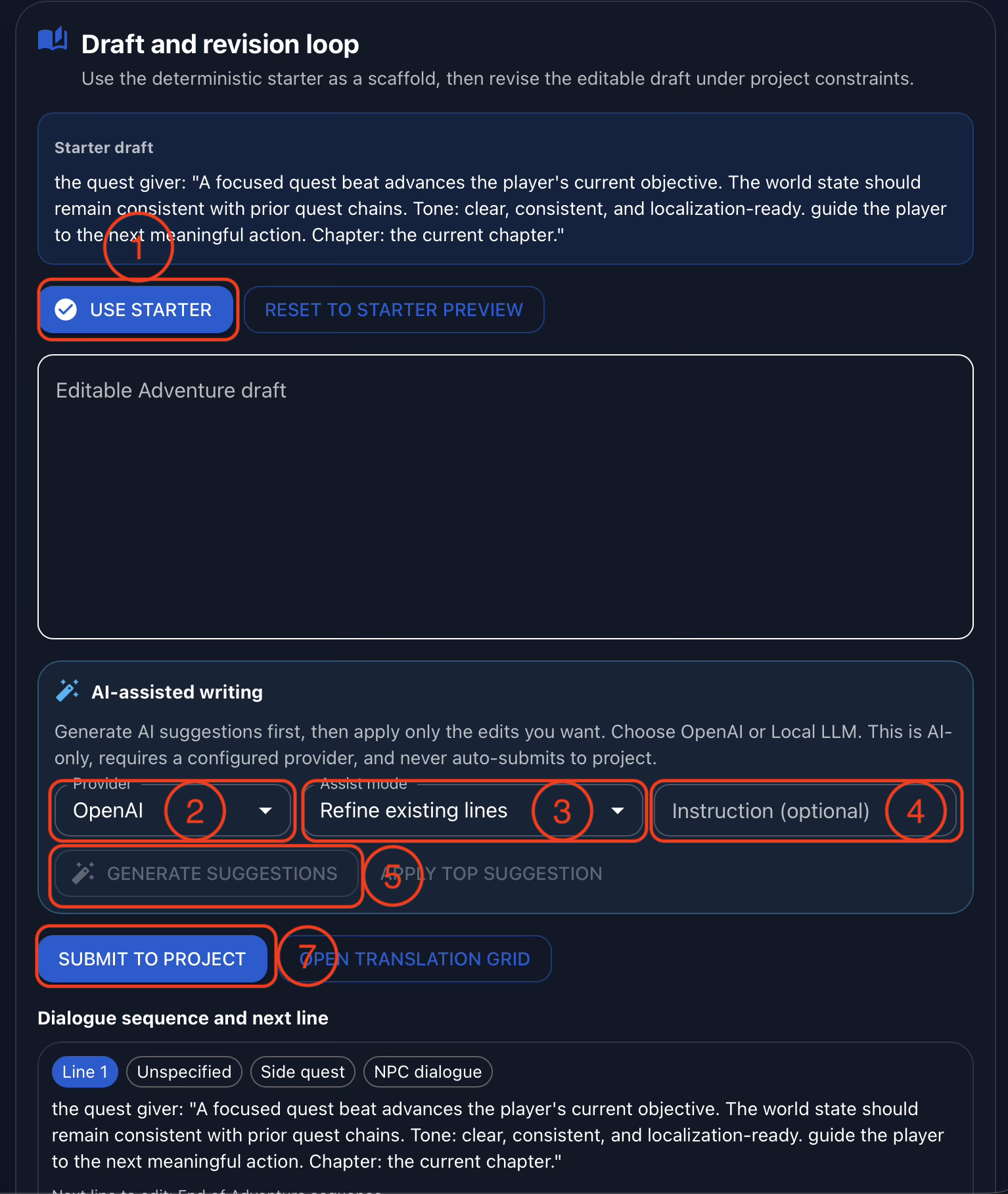
The draft and revision loop is where the author writes the actual line or sequence. Users can begin from a starter draft (1) or write from scratch in the editable Adventure draft. The starter is a scaffold, not a final answer. It exists to help the author begin, and every word remains editable.
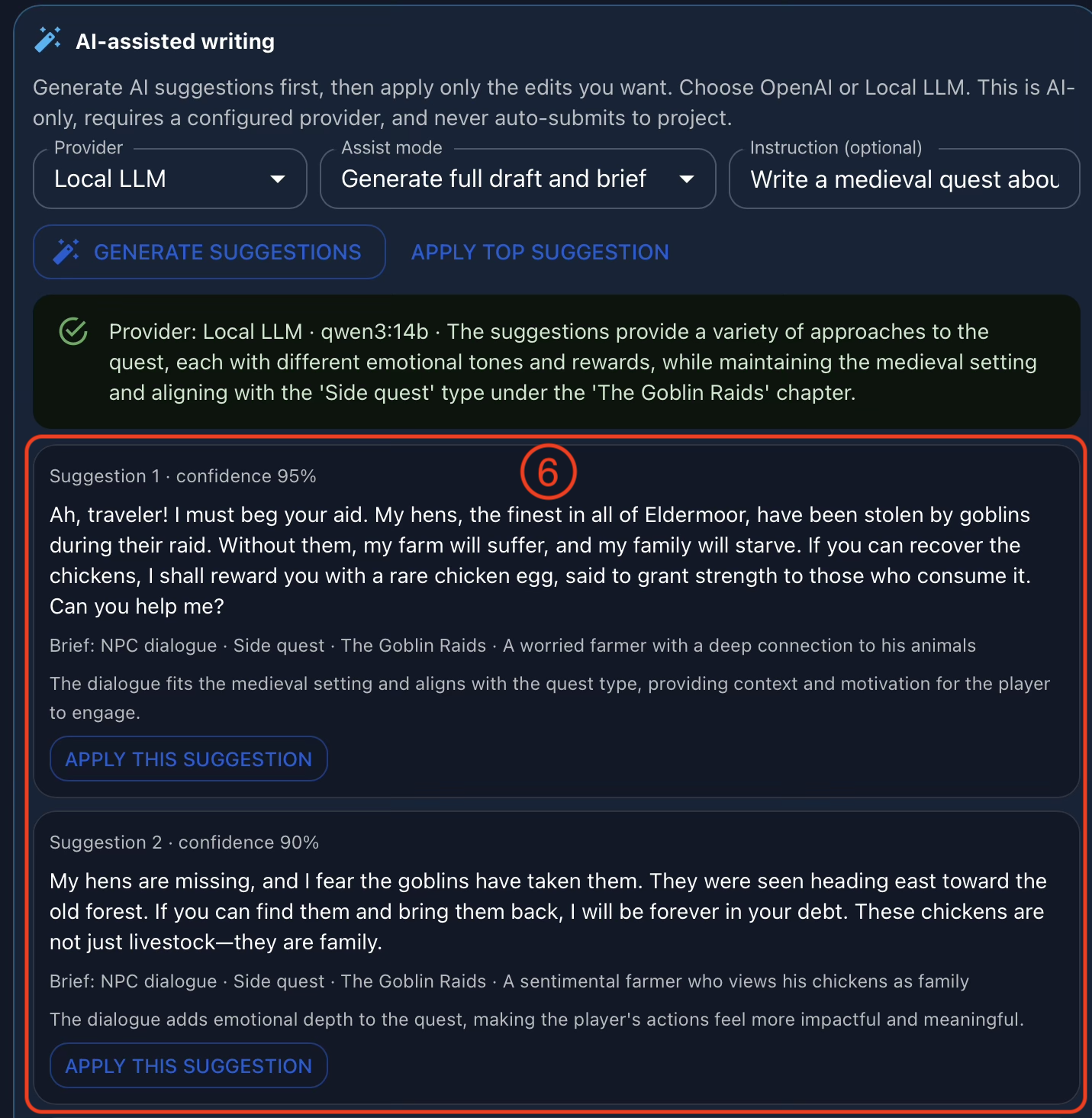
If the organization allows AI-assisted writing, Adventure can connect to approved local LLMs or external AI providers (2). The assist mode (3) controls the requested action, such as refining existing content, adding one extra line, or drafting a fuller set of content. The instruction field (4) lets the author explain the specific direction for that request, and the generate suggestions button (5) asks the selected provider to produce options.
This is deliberately a human-led workflow. Suggestions are not automatically promoted. The author reviews the options, chooses whether any of them are useful, edits the draft freely, and only submits content to the project (7) when they are satisfied with the result.
AI-Assisted Writing Options
When suggestions are generated, Adventure displays them as options in the AI-assisted writing section. A user can inspect the suggestions (6), apply one as a starting point, ignore all of them, or manually rewrite the draft. The model does not decide which line is correct, which version fits the character, or whether the content is ready for localization.
This distinction matters. Adventure can make drafting faster when a team chooses to use approved model providers, including local workflows described in the Local LLM setup tutorial. But the creative and production responsibility stays with the people using Gaia. The tool can propose; the author decides.
Grounding and Promotion Checks
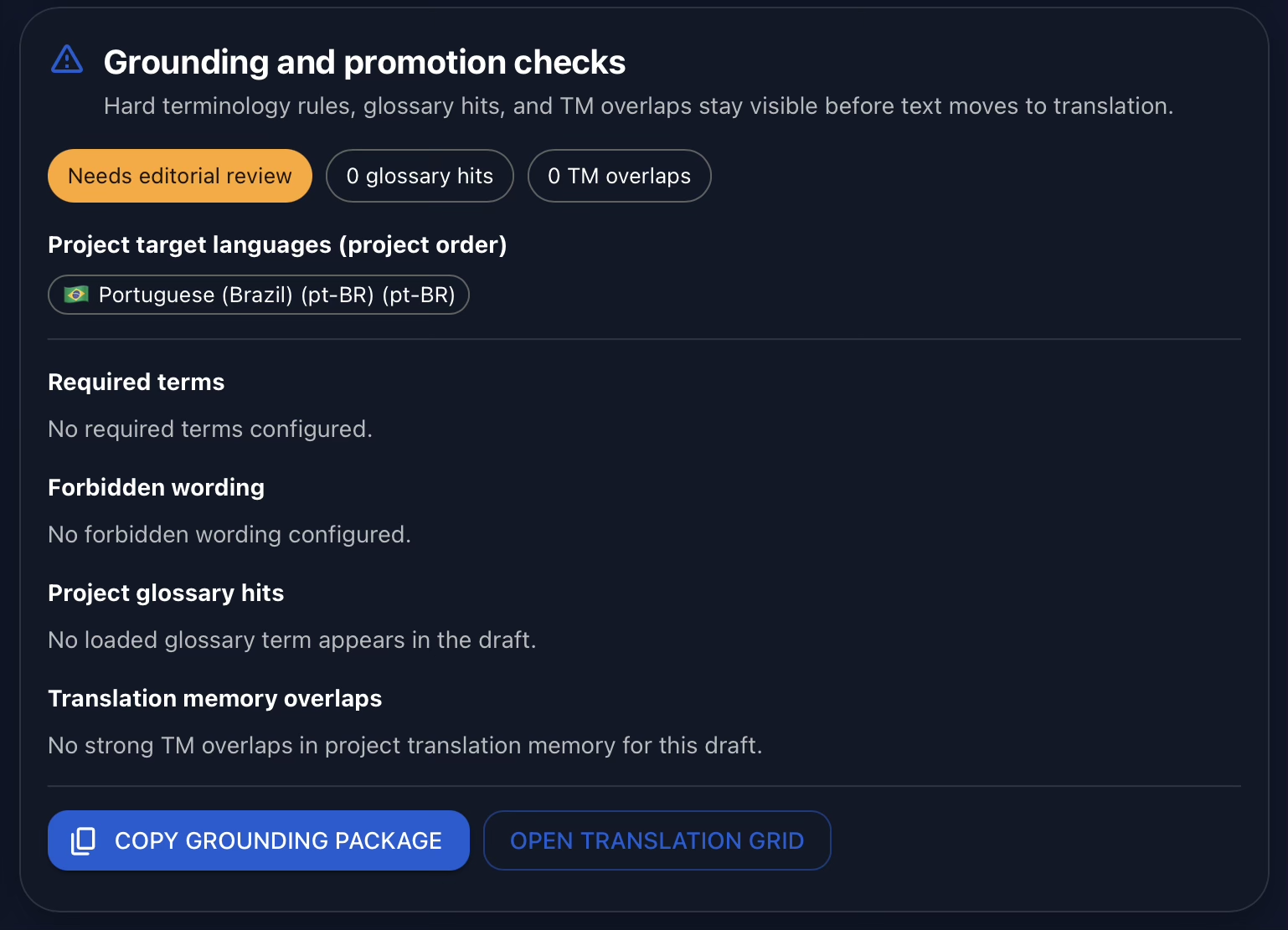
Before content is submitted, Adventure checks the draft against the grounding information provided by the user. It can surface missing required terms, forbidden wording, glossary matches, related translation memory matches, and other signals that help the author or reviewer understand whether the line is ready.
These checks are guidance for people, not automatic approvals. They help the team see where a draft may need attention before it becomes project content, but a person still evaluates the writing, the story fit, the terminology, and the localization readiness.
Grounding Package Preview
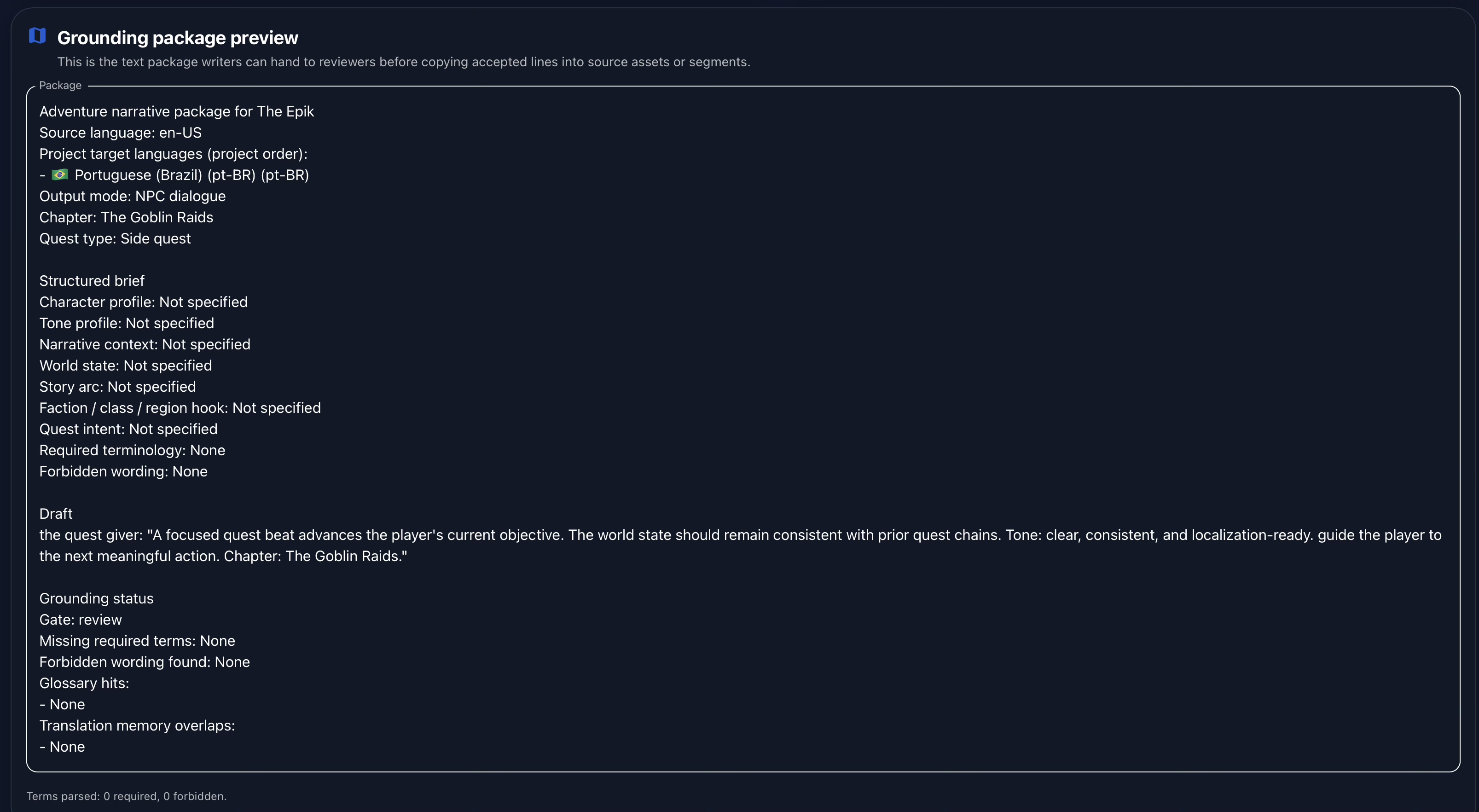
Adventure can also copy a grounding package for review. This package brings together the context behind the authored line: project setup, narrative brief details, constraints, draft content, and related language resources. It gives reviewers a compact view of why the line exists and what requirements were used when drafting it.
That context supports manual review. Reviewers do not need to guess the intended tone, quest purpose, or forbidden terms after the fact. They can inspect the grounding package, compare it against the draft, and decide what needs to change before content proceeds.
Conclusion
Adventure brings content creation closer to localization by letting teams author quest and dialogue content inside Gaia, classify it by project-specific labels, check it against terminology and grounding constraints, and submit it into the workflow when it is ready.
The workflow is designed around human control. Writers and designers define the brief. Authors draft and revise the lines. Reviewers inspect the grounding package and make the final judgment. Optional AI-assisted drafting can support that process when allowed, but it does not own the story, approve the wording, or decide what gets published into the project.
Watch the full demonstration below.
Full Demonstration
The video walks through the full Adventure workflow, from opening the tool and searching existing lines to the narrative brief, draft and revision loop, AI-assisted writing options, and grounding and promotion checks.
Follow Tomori Systems on YouTube, Instagram, TikTok, and LinkedIn for more Gaia updates.