
Dictionary Support Without Leaving Gaia
Gaia includes an embedded offline English dictionary that works across the system by default. There is no separate activation step, no external browser tab, and no dependency on a third-party dictionary website during production.
This matters because small language questions come up constantly during localization work. A translator may need to confirm the sense of a word, check whether a term is being used as a noun or a verb, or find a synonym that better matches the tone of a project. When that support is available inside the same workspace, the team can keep momentum without breaking context.
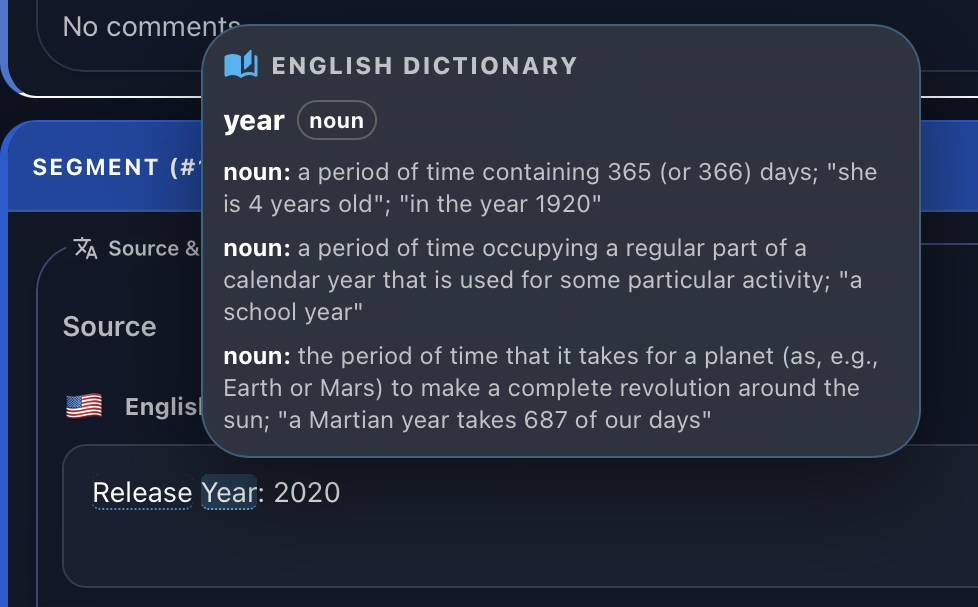
In the Translation Grid, dictionary support appears automatically when users hover over eligible English terms. The goal is simple: provide immediate language reference exactly where translation decisions are being made.
The Dictionary Section
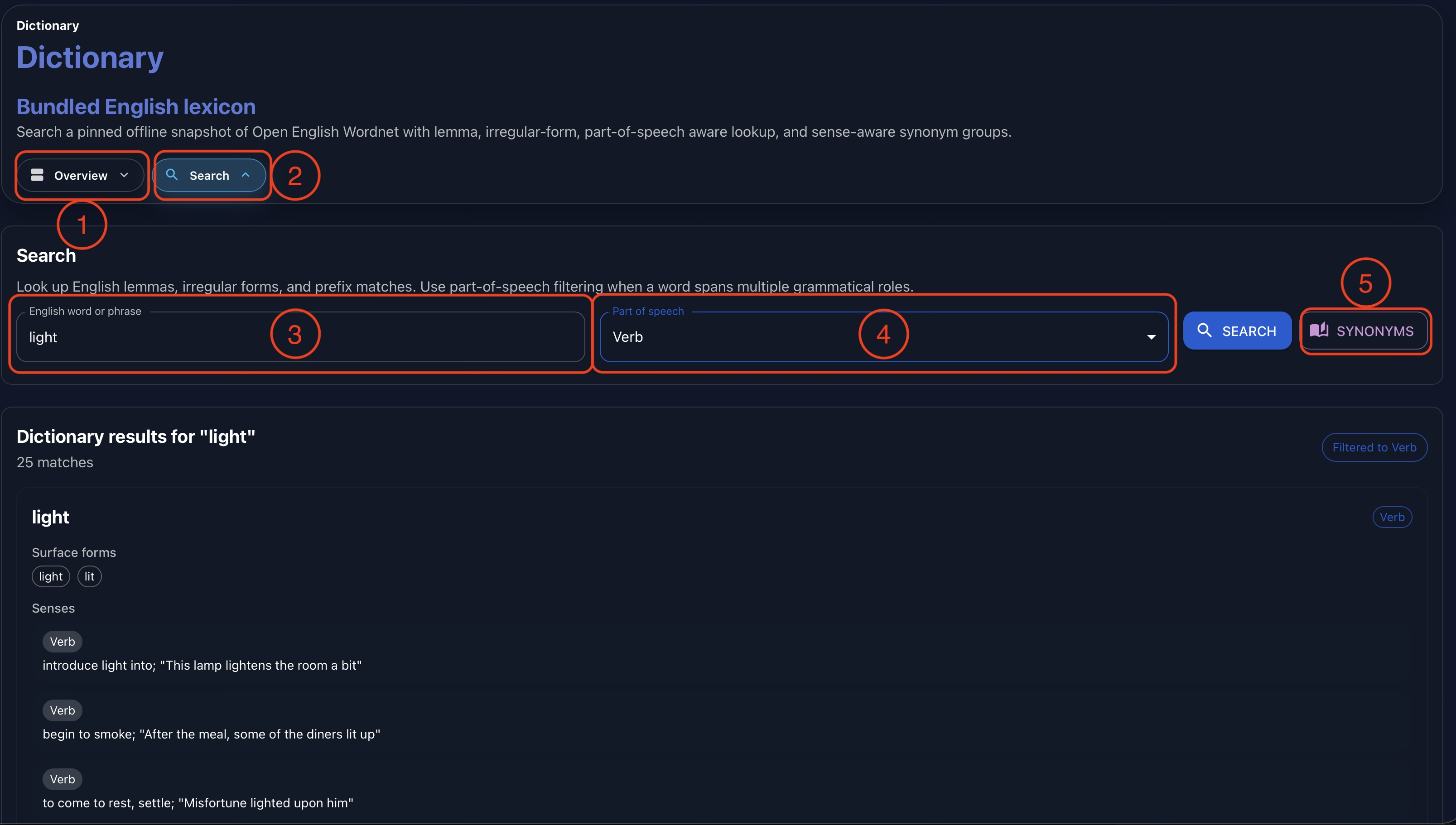
Gaia also includes a dedicated Dictionary section for deeper lookup work. From this section, users can open the Dictionary overview (1), search for specific terms (2), and enter a query in the text input field (3).
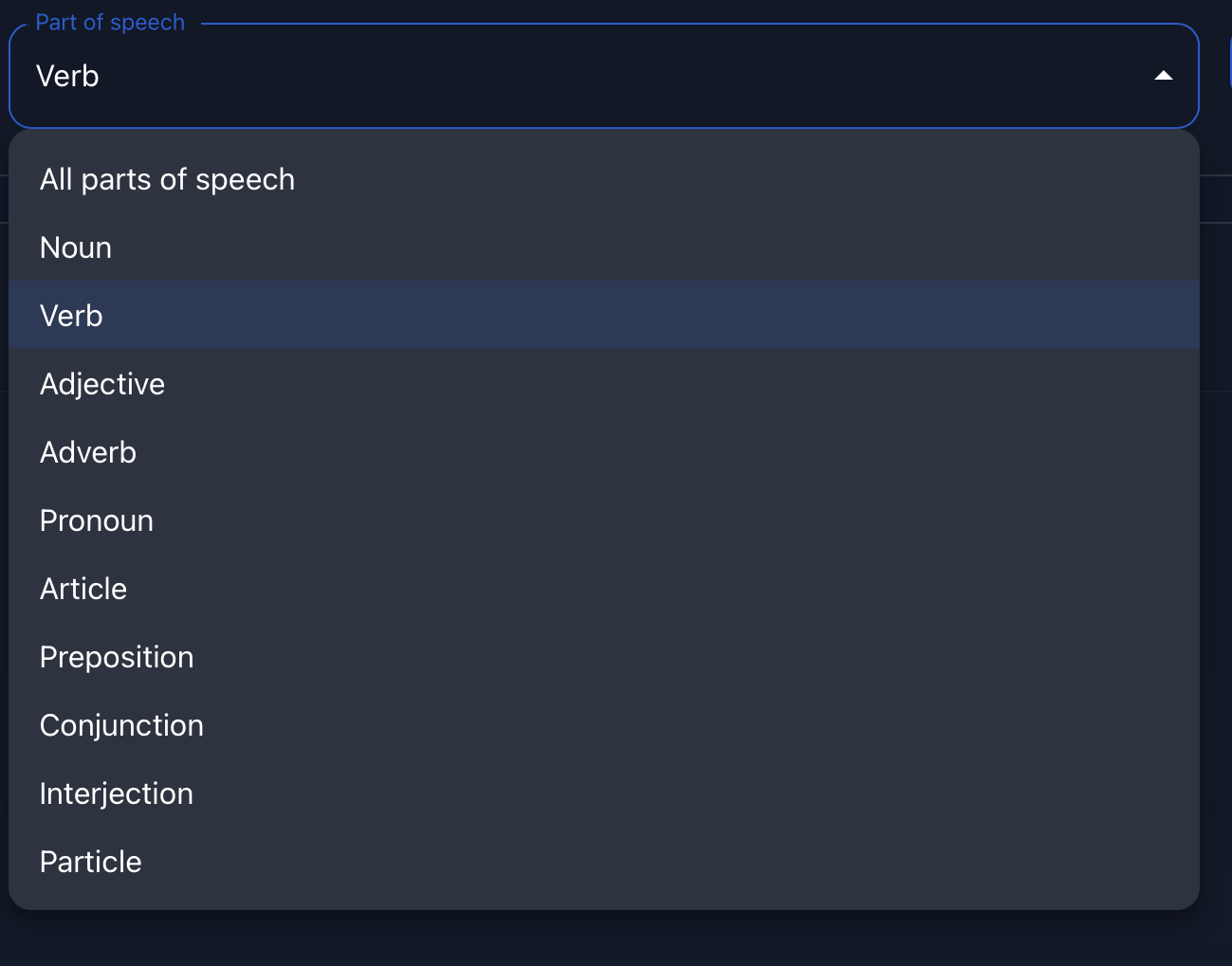
When a term has multiple possible meanings, the Dictionary section helps users narrow the result by part of speech. For example, a word may behave differently as a noun, verb, adjective, adverb, preposition, or another grammatical category. Selecting a part of speech (4) lets users focus on the definition that matches the sentence they are translating or the content they are writing.
Users can also search for synonyms by selecting the synonym action (5). This is useful when a definition confirms meaning, but the user still needs a better wording option for the target tone, product voice, or content type.
Parts of Speech
Part-of-speech filtering is especially useful for ambiguous English terms. A single spelling can represent multiple grammatical roles, and each role may carry a different meaning. In localization, choosing the wrong sense can lead to inaccurate translations, inconsistent terminology, or unclear target text.
By filtering definitions by part of speech, Gaia lets linguists validate the intended meaning more precisely before committing a translation. This also helps reviewers understand why a particular wording choice was made when checking the source and target content later in the workflow.
Forge Integration
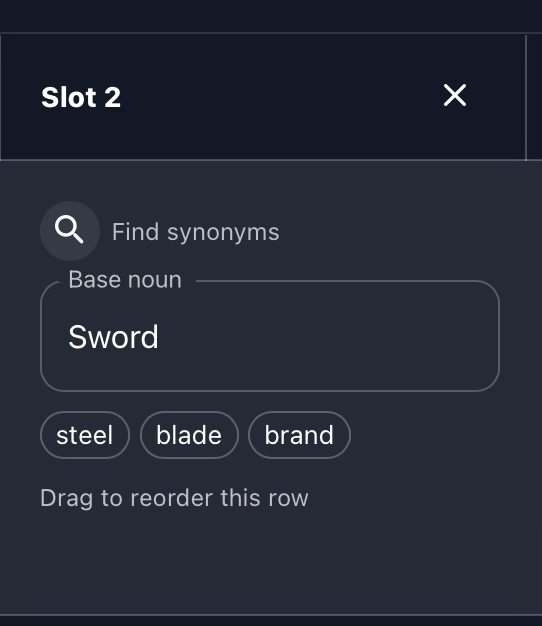
The Dictionary is also integrated with Forge, Gaia’s content creation workspace for structured game and item content. When teams create item names, labels, descriptions, and related content in Forge, synonym lookup can support ideation without requiring users to leave Gaia.
This is useful when a writer or designer needs inspiration for alternate item names, a more precise descriptor, or a word that better fits a genre, faction, rarity tier, or gameplay effect. Because the dictionary is available inside the Forge workflow, language exploration can stay connected to the content being produced.
Conclusion
An offline dictionary may look like a small feature, but it supports a very practical need: helping linguists, reviewers, writers, and content creators answer language questions without leaving their workflow.
In Gaia, the Dictionary complements the Translation Memory, Glossary, Translation Grid, and Forge. It gives users quick access to definitions, parts of speech, and synonyms, making Gaia a more complete and convenient environment for high-quality localization and content production.
Watch the full demonstration below.
Full Demonstration
The video walks through the full Dictionary workflow, from contextual lookup in the Translation Grid and dedicated Dictionary search to part-of-speech filtering, synonym lookup, and Forge integration.
Follow Tomori Systems on YouTube, Instagram, TikTok, and LinkedIn for more Gaia updates.